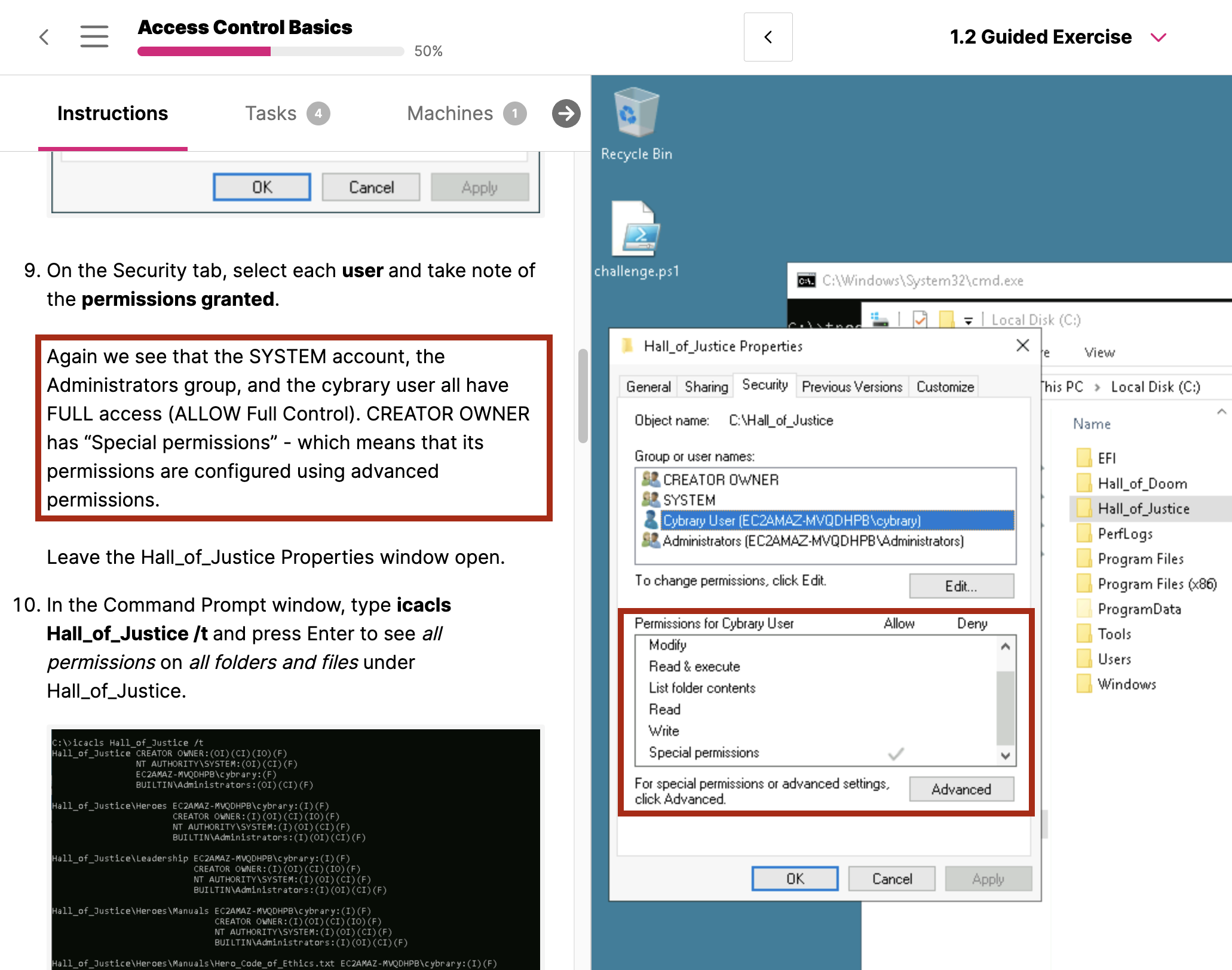
I am currently learning the Access Control Basics, In Lab Guided Exercise - Point 9 -
We see the SYSTEM Account, Administrators Group and Cybrary user all have Full Access (ALLOW Full Control) and only Creator owner has special permission.
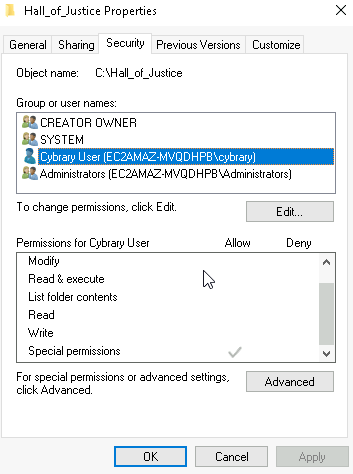
- However If I open the Security tab for cybrary local account - I dont see it in Full Access control, I see it in Special Access control same as Creator owner. Please find the picture attached. Am I missing something ?
That’s a nice observation @rohanpawar
On the Security tab we see user cybrary has “Special Permissions”:
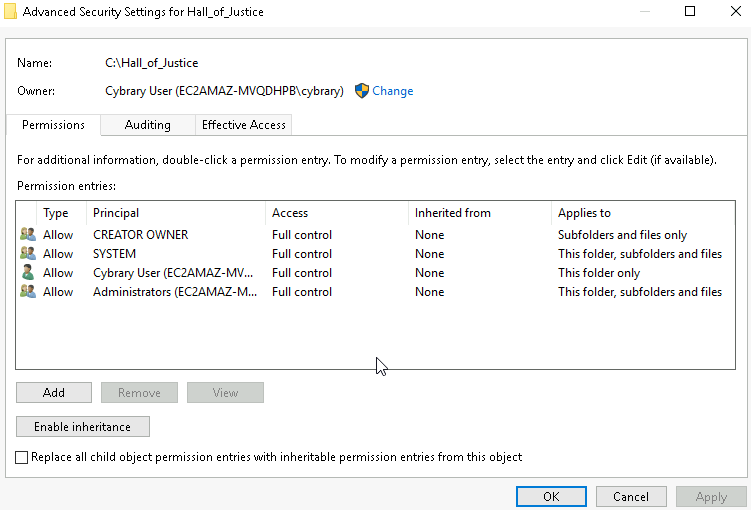
If we click advanced we see that user cybrary does in fact have Full permission to the Hall_of_Justice folder:
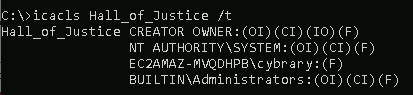
Confimed by icacls:
So why does this “Full Control” not show up on the Security tab like it does for the Administrators group and the and System account?
I would say this is Windows being Windows. The Cybray user has Full Control to the Hall_of_Justice folder itself, but not to any of the underlying folders. This this is “special” in a way.
I asked Google’s AI, and here is what it had to say…
This occurs because your permissions are a combination of explicit and inherited rules, and you have blocked the standard inheritance for subfolders. Windows recognizes this deviation from the normal “Full Control” setting, and designates it as “Special Permissions” to signal that a customized rule is in place.
“Special” means “customized”: The moment you break the standard inheritance, the simple “Full Control” label is no longer accurate. The folder’s permissions are now a “weird combination of permissions that doesn’t exactly match one of the ‘basic’ permission groups,” and Windows flags it as “Special Permissions”.
Thank you very much, Appreciate the Input. This Helps.