In the 2nd lab of the CCSP training : AATS-001: Configure Geo-Replication for Your Database [Guided]
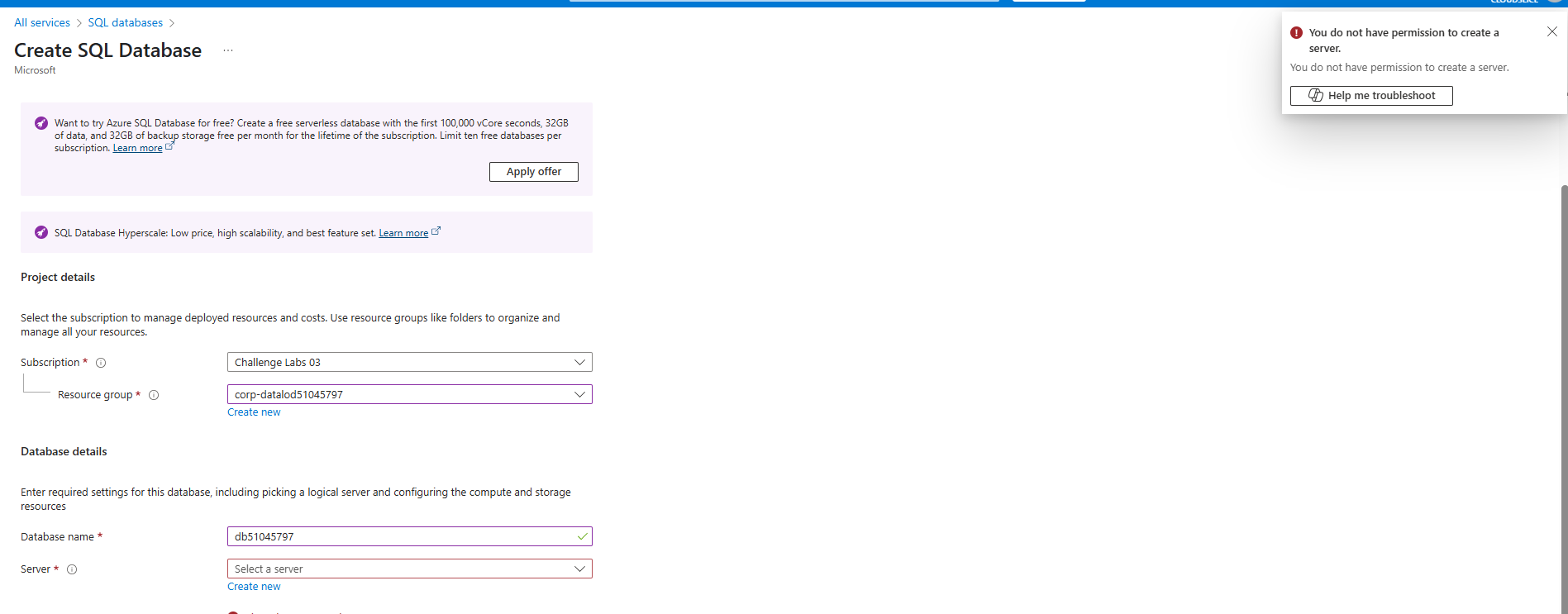
I am instructed to create a SQL database and a server.
But Azure comes with : You do not have permission to create a server.
The instructions are
Create an Azure SQL database on a new logical SQL server by using the values in the following table. For any property that is not specified, use the default value.
| Property | Value |
|---|---|
| Resource group | corp-datalod51045797 |
| Database name | db51045797 |
| Server name (new) | sql51045797 |
| Location | (US) East US |
| Authentication method | Use SQL authentication |
| Server admin login | AzureAdmin |
| Password | Az!51045797! |
| Workload environment | Development |
| Service tier | General Purpose |
| Compute tier | Serverless |
| Max vCores | 1 |
| Data max size (GB) | 32 |
| Enable Microsoft Defender for SQL | Not now |
| Use existing data | Sample |
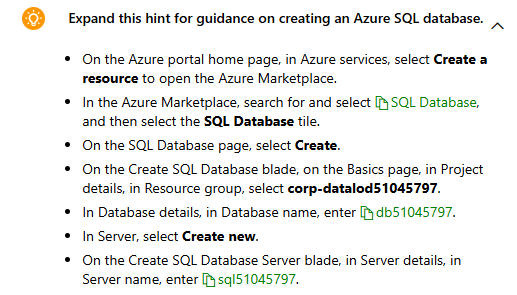
In the hints it says:
- In Server, select Create new.
- On the Create SQL Database Server blade, in Server details, in Server name, enter sql51045797. *
I have now spent 3 of the 6 launces.
Regards Hans-Peter