Challenge: Back to the Cereal

Challenge: Back to the Cereal

  1. What is the name of the files that have been altered (separated by comma no space)?

Have someone hint for task 3 ?
In the timeline explorer.exe im stucked. I used filter SI<FI, Sec Zeros, Copied

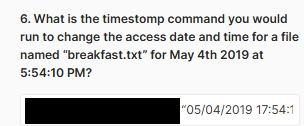
  1. What is the timestomp command you would run to change the access date and time for a file named “breakfast.txt” for May 4th 2019 at 5:54:10 PM?

i think this should be correct : timestomp breakfast.txt -a “05/04/2019 17:54:10“ but it does not worked.
Have someone hint for task 6?

This is a challenge in which I have only answered 2 questions (1 and 7) :frowning:

I read somewhere that quotation marks are not needed but elsewhere it mentions that the characters in the quotation marks should be as shown on the screen (one points down and one points up) and that applies to 4 and 6 :slight_smile: <— I HAVEN’T VERIFIED IT

I would like to help you more but I have been able to answer more than 2 :slight_smile:

Good luck :slight_smile:

:index_pointing_at_the_viewer:

6.-

—> Your answer is correct, you need to place quotation marks as I mentioned before :slight_smile:

Question 2

I guess you answered question 2, right?

The challenge DOES NOT SAY how you should look for the answers. So I did my research to understand the concepts… depending on the type of format (NTFS, exFat, etc.) files are created (or not) which “I suppose” are not counted as manipulated files (e.g., *.lnk).

My doubt is if you only based yourself on the SI attributes and FN to ANSWER question (count of manipulated files) or the decision is by zeros attribute.

—> I am very interested in answering this question to LEARN… If I complete this challenge: it will be EXTRA :slight_smile:

If you could guide me I would appreciate it very much :slight_smile:

Edited…

How can I count modified files?
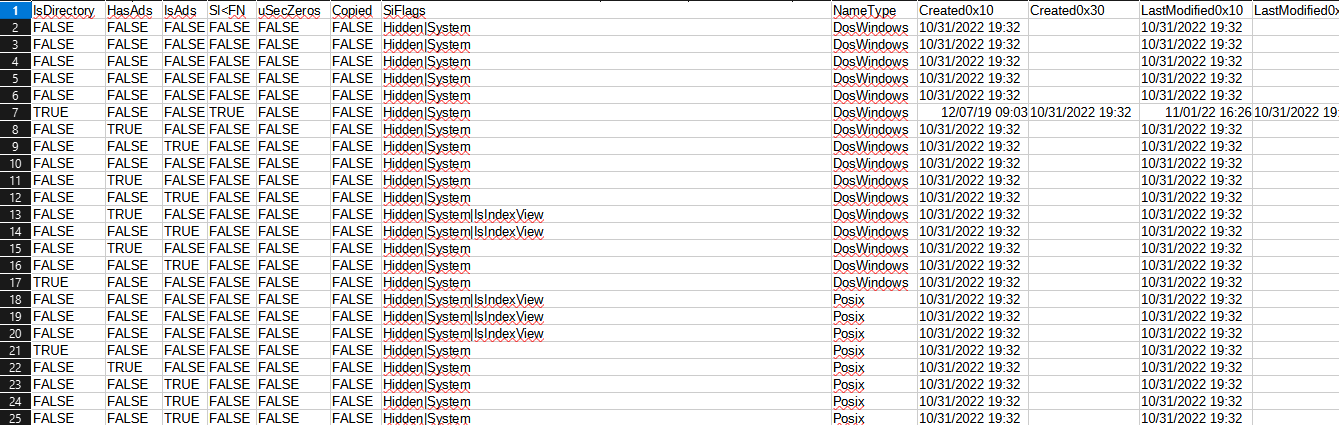
In the “*.csv” file data from the entire system is shown, however, I do not understand how the tool generates it.

I understand that SI has 4 MACB attributes and FN has another 4:
—> In MFT file there are only 4…
…and the other 4 how can I deduce them?

—> What does SI < FN?
According to what I learned I should see SI with its 4 attributes and then do the same with FN and finally compare between them (check with the 8 attributes)?

Unless for this question (number 2 of the CHALLENGE) I just took the fields “Created0x10” “Created0x30”… But there are many blank ones…
—> … should I take them as zeros?

I have many doubts about question 2 :frowning:

thanks for the hint for task 6 - it works

task 2/3 -

  1. yes analyze mainly this columns Created0x10 Created0x30 LastModified0x10 LastModified0x30 LastRecordChange0x10 LastRecordChange0x30 LastAccess0x10 LastAccess0x30

  2. i extract files by defined patterns
    import pandas as pd
    import re
    df = pd.read_csv(“MFT_Cinnabun_Output.csv”, low_memory=False)
    filenames = df[“FileName”].dropna().astype(str)

patterns = [
re.compile(r"[1]{7}[^.]{5}.[^.]{3}.[^.]{3}$"), # *******..*
re.compile(r"[2]{7}[^.]{10}.[^.]{3}$"), # **************.
re.compile(r"[3]{20}.[^.]{3}$") # *****************.
]

matches =
for name in filenames:
for pat in patterns:
if pat.match(name):
matches.append(name)

print(“Matched files:”)
for m in matches:
print(m)

  1. thanks for HINT : (e.g., *.lnk). help me find relevant files especially for pattern 3

after that you should find answeres for task 2 and 3

TASK 4 : i use timestomp eplorer .exe ( use filter SI < FN and sort )


  1. ^_ ↩︎

  2. ^_ ↩︎

  3. ^. ↩︎

1 Like

I wish you win CHALLENGE :slight_smile:

I am involved in the CHALLENGE:
thank you for the additional information.

—> I’m going to try everything :slight_smile: <—

image

By length… however, the system does not recognize them:


If not, which are the correct ones… I have doubts about the second one because of the extension :frowning:

—> The only ones that have a character are the *.h and none of them match a name

Next…
{F09A0037-CD2B-48F1-B652-C023D2493B21}

Does anyone know the right value?
I have entered several and these are the most current (dated):
system does not recognize them :frowning:

image
If I search by folder only 4 - 5 files appear:
A 4-digit number is required!!

Searching through Cinnabun and using the following filter I still can’t guess value.

What is the correct number?

I’m about to give up challenge :frowning:

Thank you :slight_smile:

TASK3
all 3 has *txt extension, second one like you posted looks OK

TASK4

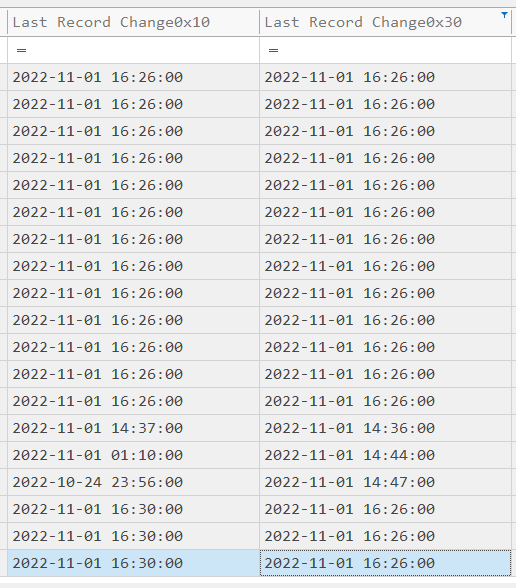
  • Sort by “SI Creation”.
    Click the SI Creation column header, sort descending

I can see the value in your snapshot

Edited…

Thank you @Dalibor_Zeman3705

Task 3 SOLVED :slight_smile:

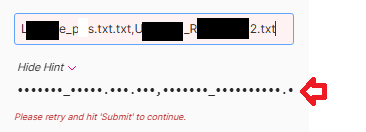
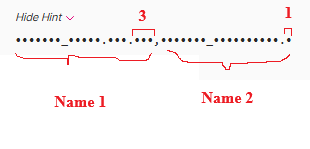
—> Copy help text (Hint) and it does ask for 3 names… With that I quickly found the solution :slight_smile:

Platform error :frowning:

Correct:
••••••••••••.•••.•••,•••••••••••••••••.•••,••••••••••••••••••••.•••

Task 4 SOLVED
With these 3 names, one of them must have the date of the solution :slight_smile:

wink wink :slight_smile:

—> IMPORTANT <—
I take this opportunity to ask how you solved the “TASK 2”… no filter has given me the value/solution :frowning:

?

Help!!!

:slight_smile:

1 Like

TASK 5…

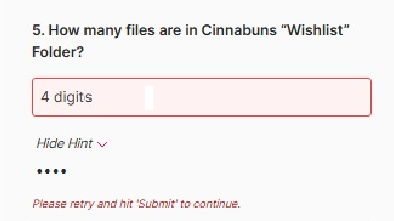
Not clear how to get a 4-digit number if there are only 3 files in the folder?

Did someone solve task 5?

ONLY 2 more questions…
HELP!!!.

Unanswered questions:
—> 2 and 5
:frowning:

I’ve decided to put some helpful information relating to this lab for anyone who may be struggling.
Partly, the format of the answers is not best explained and can lead to confusion.
I have avoided giving straight out answers, but more hints.

Do not use Excel to work with the data, use Timeline Explorer.
Make sure you set the SI<FN to TRUE
If you still are having trouble working through the data set, Q5 provides a huge hint to narrow your data.
Make use of Timeline explorers search and filtering options. Very powerful and extremely helpful.

Q1. What is the NTFzs Attribute that is only changed by a kernel level process?
A1. This can be found by reading the links provided under the hints section. - Nice and easy.

Q2. How many files have been timestamped?
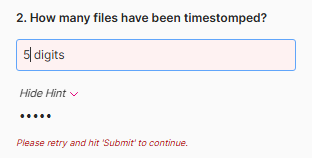
A2. The hint provided is misleading, as it is not a numerical answer, rather the numerical word. So 2 would be “two”. - Hint, if you can answer Q3 you can answer this question.

Q3. What is the name of the files that have been altered?
A3. If you are struggling with narrowing your timestamped entries, refer to Q5 for a big hint.

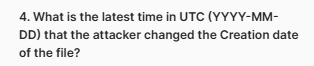
Q4. What is the latest time in UTC (YYYY-MM-DD) that the attacker changed the creation date of the file?
A4. This ties back to A3, so look carefully at their Created0x10 entries. Latest in this part means newest and or most recent.

Q5. How many files are in the Cinnabuns “Wishlist” Folder?
A5, like question two, the hint provided is misleading, as it is not a numerical answer, rather the numerical word. So 2 would be “two”.

Q6. What is the timestomp command you would run to change the access date and time for a file named “breakfast,.txt” for May 4th 2019 at 5:54:10 PM?
A6. Look up the syntax to timestomp command. The date and time provided in Timeline Explorer is YYYY-MM-DD, so keep this in mind. Further, I found that I needed to copy the quotes from the hint to make my answer work as my own quotes did not get accepted. So keep this in mind.

Q7. What is the default file system for Windows?
A7. Information provided by the links in the hints will help you answer this question.

2 Likes

Challenge dedicated to @snaggletooth

—> It was easy… my mistake was to think that challenge needed numbers (Q2 and Q5) instead of characters.
:sweat_smile: :sweat_smile: :sweat_smile: :sweat_smile:

—> Challenge solved :slight_smile:

:partying_face:

Thanks a lot.

:handshake:

This post does not have a button “Solution”.

—> Petition for administrator:
Please activate it :slight_smile: