Hi everyone,
I’m currently working through the Cybersecurity Fundamentals course and I’m stuck on the guided exercise for IDS basics.
In this lab, we analyze .pcap files with Snort and answer questions about alerts. Specifically, I’m having trouble with these:
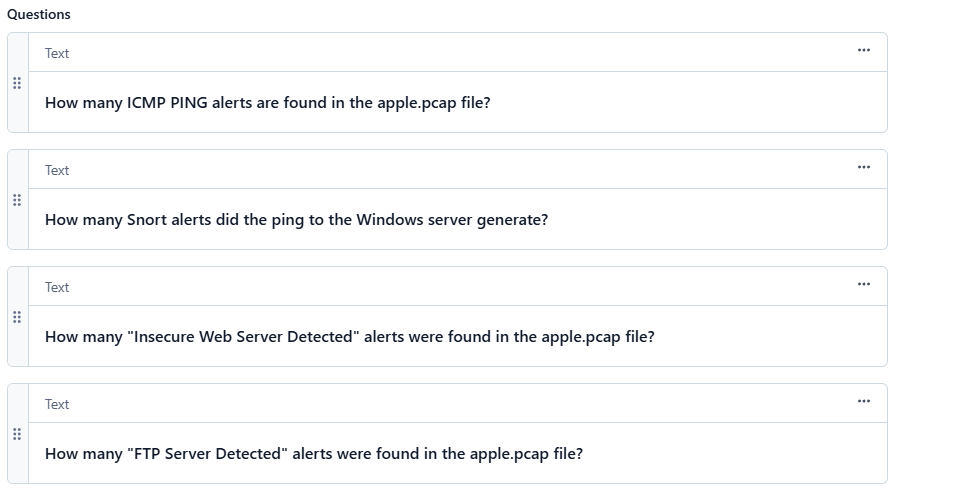
- How many Snort alerts does the ping to the Windows server generate?
- How many “Insecure Web Server Detected” alerts are found in the apple.pcap file?
- How many “FTP Server Detected” alerts are found in the apple.pcap file?
I’ve tried running Snort on the pcap files and checking the output, but my counts don’t seem to match the expected answers in the exercise.
Can you show us the commands you are trying an the output of those commands?
I’m having the same issue, and the number I’m getting apparently isn’t correct.
[redacted]
Not only does my number not work, NO 2 digit numbers work. I thought to myself there are only 90 options so why not take 3 minutes and just try them all. None worked. So I tried it again counting down. None worked. Then I tried 01, 02, 03, etc… None worked. Clearly I’m missing something.
The answer in your (redacted) screenshot is the correct answer, and it looks like you were able to finish the lab.
As I understand it, we had a brief (~15 min) issue with our backend around the time you posted, so my guess is that all answers were just being rejected outright because the assessment engine wasn’t responding. Sorry about that!
For what it’s worth, we have an update coming shortly that will allow answers to submitted individually, rather than relying on the single Submit button for the whole Task pane.
Sorry to resurrect an old threat.
But there is a problem with the guided exercise Q3 and Q4 that begin at steps 36 and 37.
Firstly in step 34 is mentions that we will revist analyzing PCAP files with snort and test with our new rule.
However jump step 36 and 37 the instructions have you using again the snort.conf rather than the local.rules file.
Step 36 asks you to do a count of “Insecure Web Server Detected” and this comes up with a number in the 14000 range when using both the snort.conf or the local.rules configuration file.
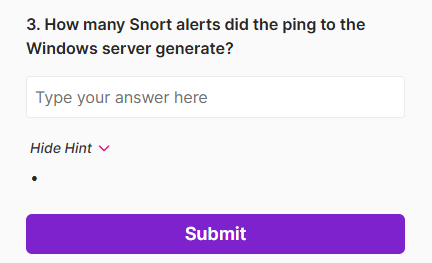
The question this is associated with Task Q3 asks “3. How many Snort alerts did the ping to the Windows server generate?” and wants a single digit answer. The key word is PING.
Also with step 37, if you do not use your local.rules file you cannot answer correctly the Q4 in the task section which asks “4. How many “FTP Server Detected” alerts are found in the apple.pcap file?”
It would be good if someone from Cybrary can go through these and fix up the guided exercise and particularly correct the output required for Task Q3 as this cannot be gotten using the apple.pcap in its current form.
Hello @snaggletooth !
Thank you for this feedback.
As to the issue of Question 3 being a copy of Question 2, this is a publishing issue. I looked on the back-end and I see the correct question:
Yet in the lab I see what you see…
I have asked the Cybrary Team to please look into this.
As to “if you do not use your local.rules file you cannot answer correctly the Q4 in the task section which asks” that is very much the point 
This ensures the student does all the lab steps
1 Like
The issue with Question 3 has been fixed
To your point about using again the snort.conf rather than the local.rules file.
Snort.conf uses all rules in the /etc/snort/rules folder, including local.rules. I’ve added a note to clarify this point.
Note: In the remaining steps, we will use /etc/snort/snort.conf again. Recall that snort.conf invokes all of the rules in /etc/snort/rules, including the local.rules file we just modified.
2 Likes