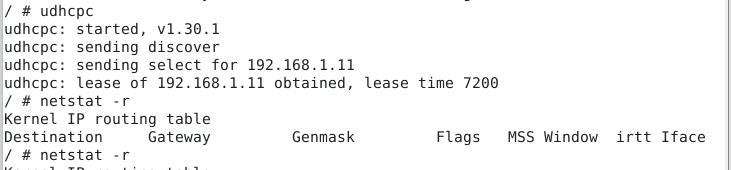
(Troubleshooting in paradise) dhcp server is enabled on lan all clients allowed dns set correctly gateway set correctly (both on pfsense and gns3) dhcp leases shows the lease as active but offline im missing a simple step arent i 
Here are my tips for this Challenge…
1.) Be sure the firewalls are up… you can open a console and wait for the menu screen.

2.) Linux-A needs to to have it’s IP fixed and it must include DNS configuration. The DNS server IP is 192.168.1.5. 192.168.1.1 is the right gateway. No need to second guess that.
3.) When looking at the configuration page in GNS3 for Linux-A and Linux B, be sure to remove comments ( # ) where needed and ADD comments when needed.
4.) Linux-B is using DHCP. You need to change that AND comment out DHCP. If you leave DHCP configured then the network on Linux-B will not come up. This burned me too.
5.) Linux-B’s IP is not in the DNS server. That is an issue.
6.) The firewall rules and VPN setup are all good. No tricks there. You just need to make sure the VPN tunnel is ESTABLISHED, and if not, well you need to start it.
7.) Fixes are needed on Linux-A, Linux-B, and you need to add a record to the DNS server. The DNS server is GUI driven and pretty easy to figure out.
8.) If you can ping “linux-b” (no quotes) from Linux-A you win. If you have any trouble getting the flag then show me a screen shot of Linux-A pinging “linux-b” by name and I will ensure you get the flag.