Hi, I have tried 3 times to do this challenge, however I get errors all the time. The first time I got an error on the pipeline running, so I restarted it from the beginning, and I got an error on ZAP automation plan, as You can see in the screenshot, I restarted once again, and the third time I had the same problem. I have checked everything, and did it step by step with the guided exercise.
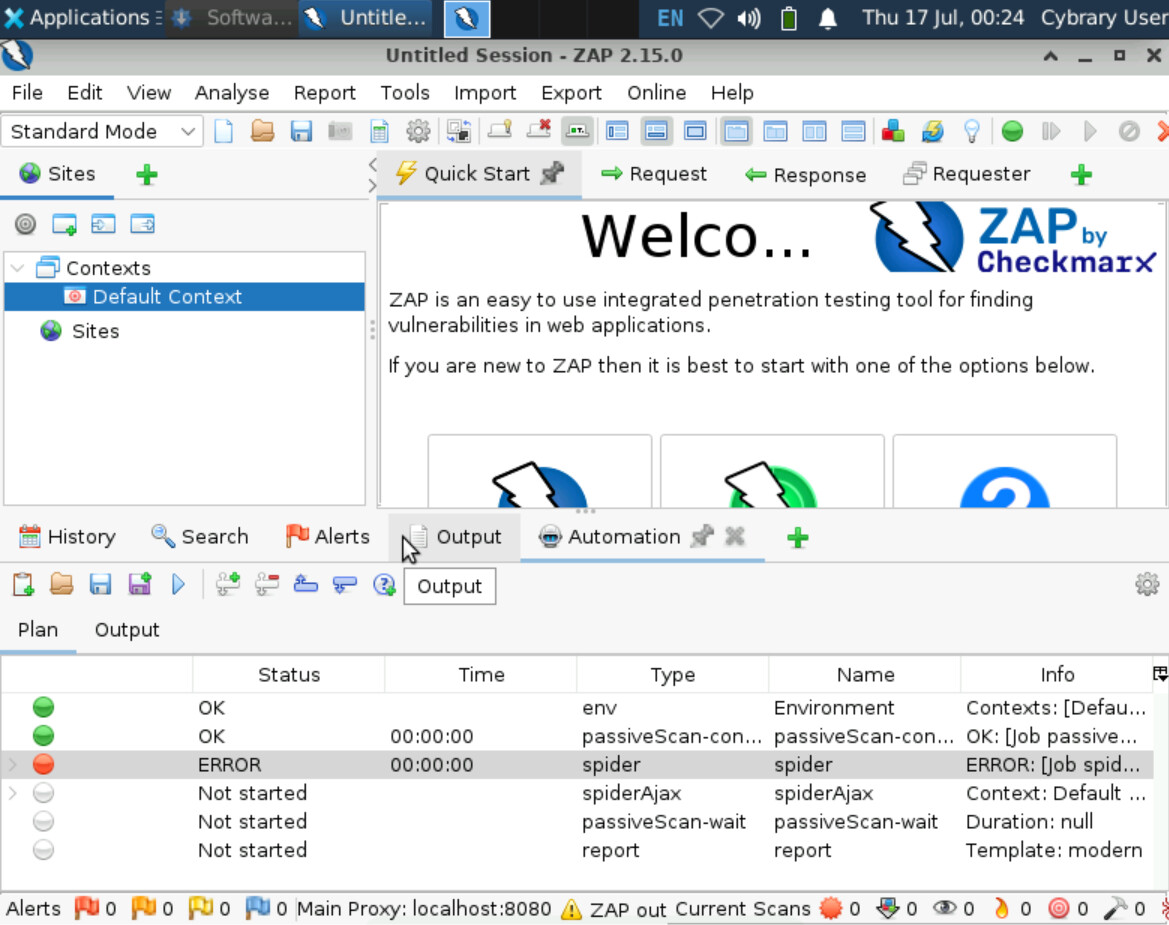
Hey there - I just tested this challenge and it seemed to work fine. I would recommend resizing and/or moving some columns in the Plan field so you can see the full message in the Info column. That may provide some insight into why the spider job is failing.
Beyond that, I see a few missing jobs in your plan - you should have an openapi and activescan jobs added, per Part 3.

It is that I have not reached part 3 I was about to finish part 2 but had the first problem and now I can’t pass part 1.
This is the error
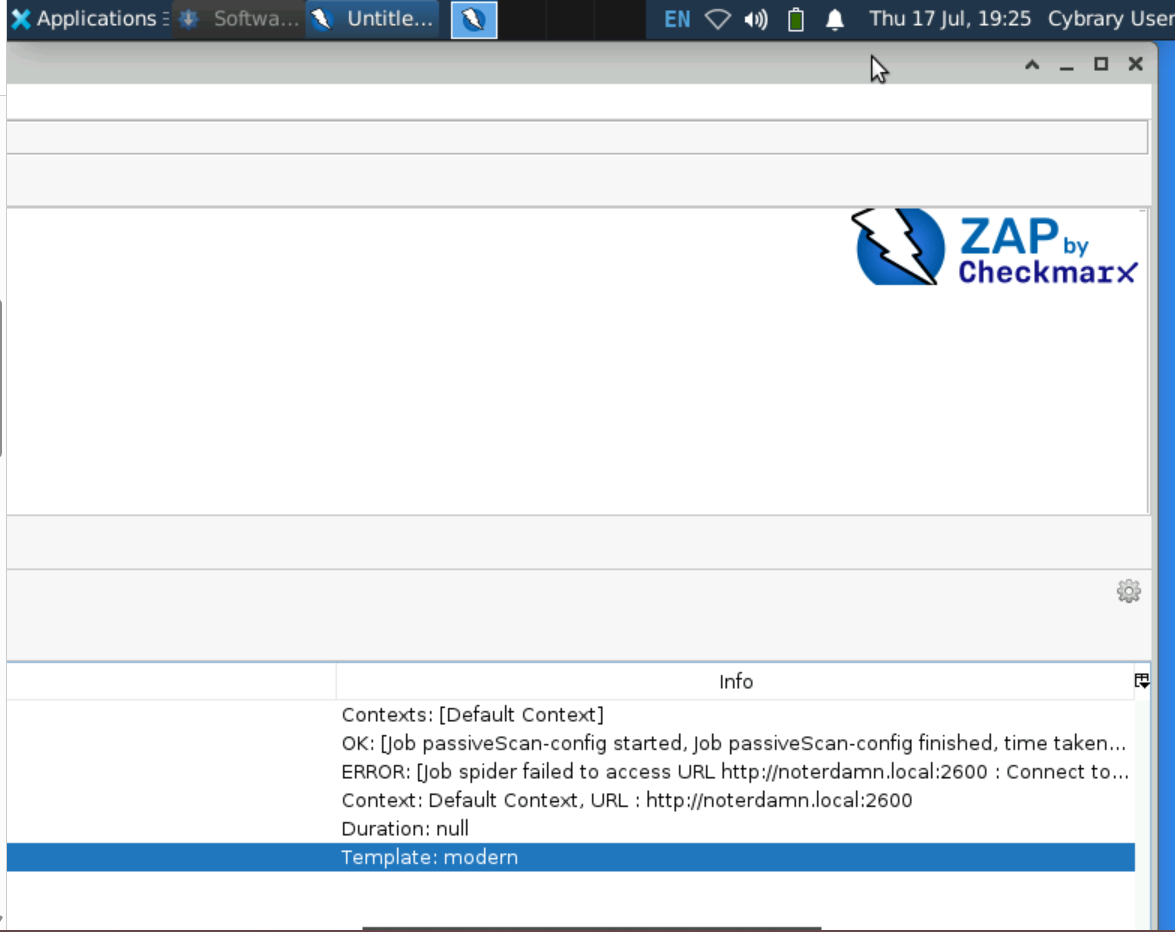
I don’t think you’re expected to run the scan until the end of Part 3. You just need to create the Plan in Part 1.
Either way, have you tried running the scan a second time after initially getting that error? I noticed in my run-through earlier that I got an error on my OpenAPI job, but when I restarted the scan it worked fine. I’m not sure why, and I have a query out to the instructor, but it ultimately didn’t prevent me from completing the Challenge Exercise.
I would triple-check your Spider job configuration to be sure it matches the details in the Instructions, then proceed through Parts 2 and 3 before running the scan. If the issue persists, even after restarting the scan, could you please provide screenshots showing the relevant fields of the configuration modal for the job that’s erroring out?
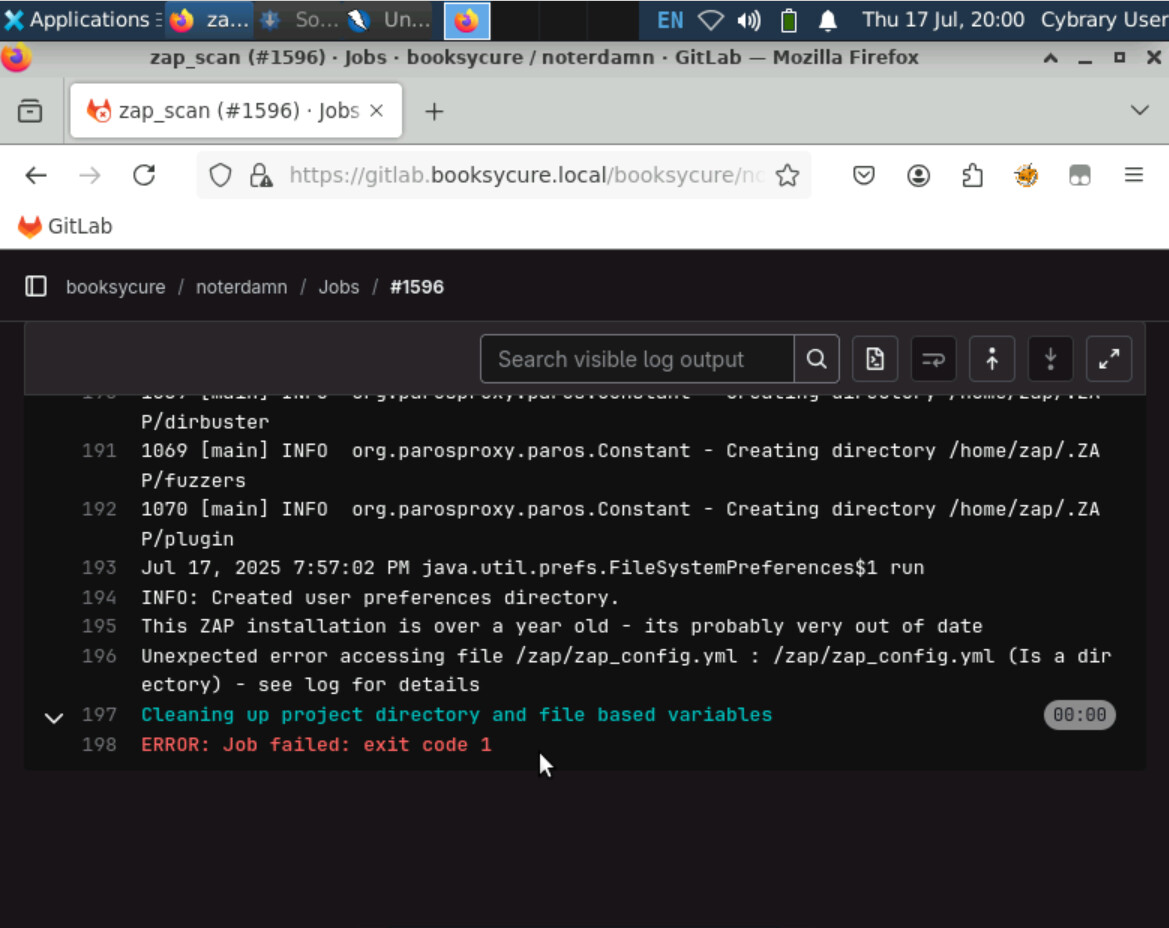
I would double-check the file path and name for the yml file. Be sure it matches the file path and name you used in the Challenge.
I have been trying, I have done it with the help of the guided exercise, I know it is a stupid little thing, but I can’t fin it, I will Attach my save paths, maybe you can see what I got wrong.
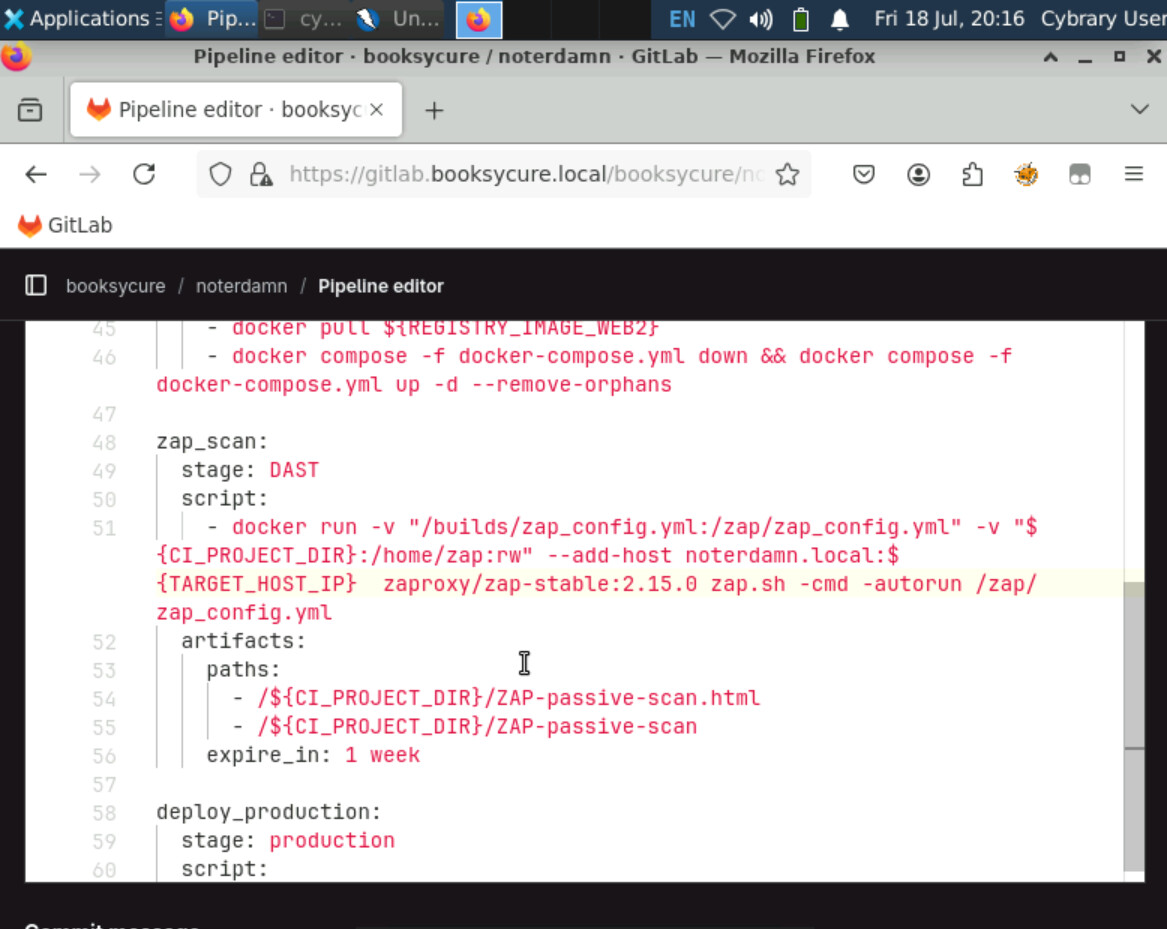
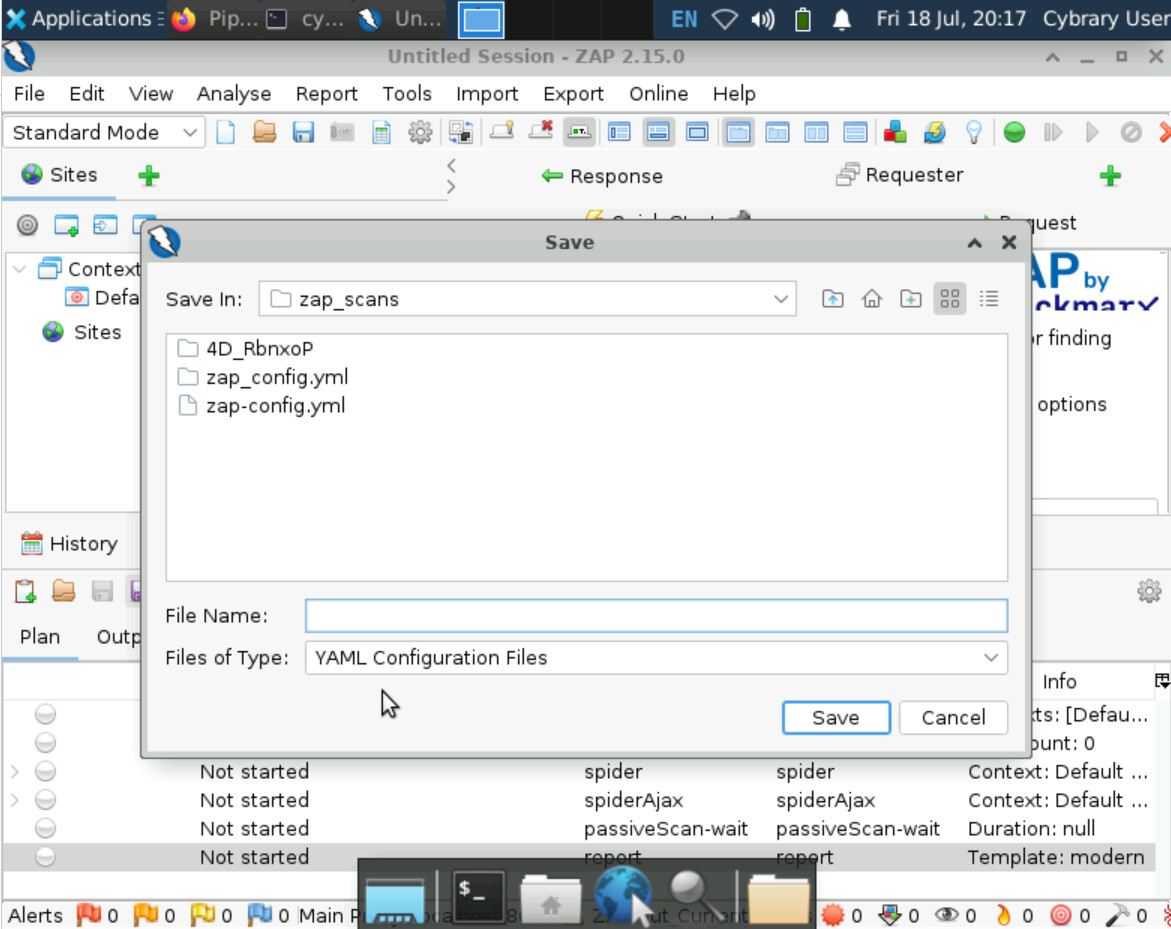
It looks like you’re saving your file in /cybrary/zap_scans and targeting /zap
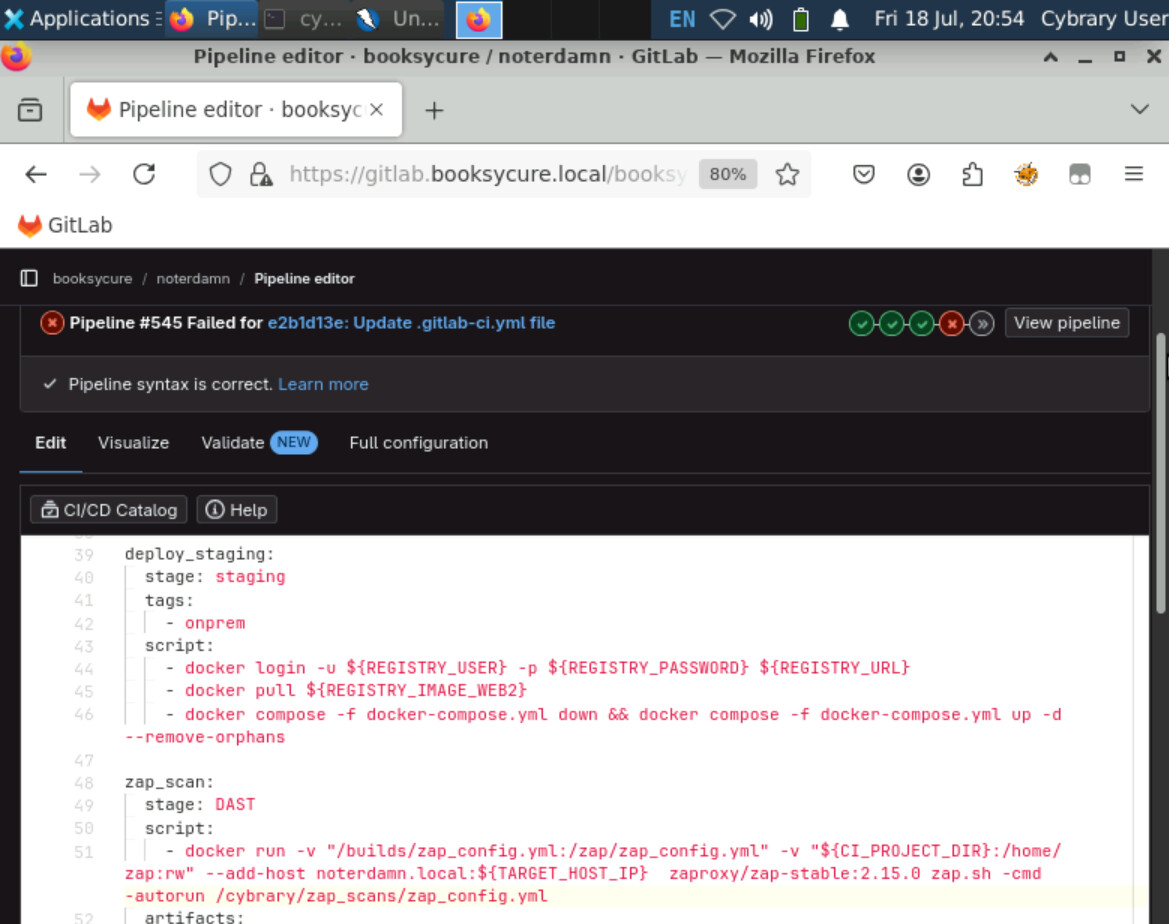
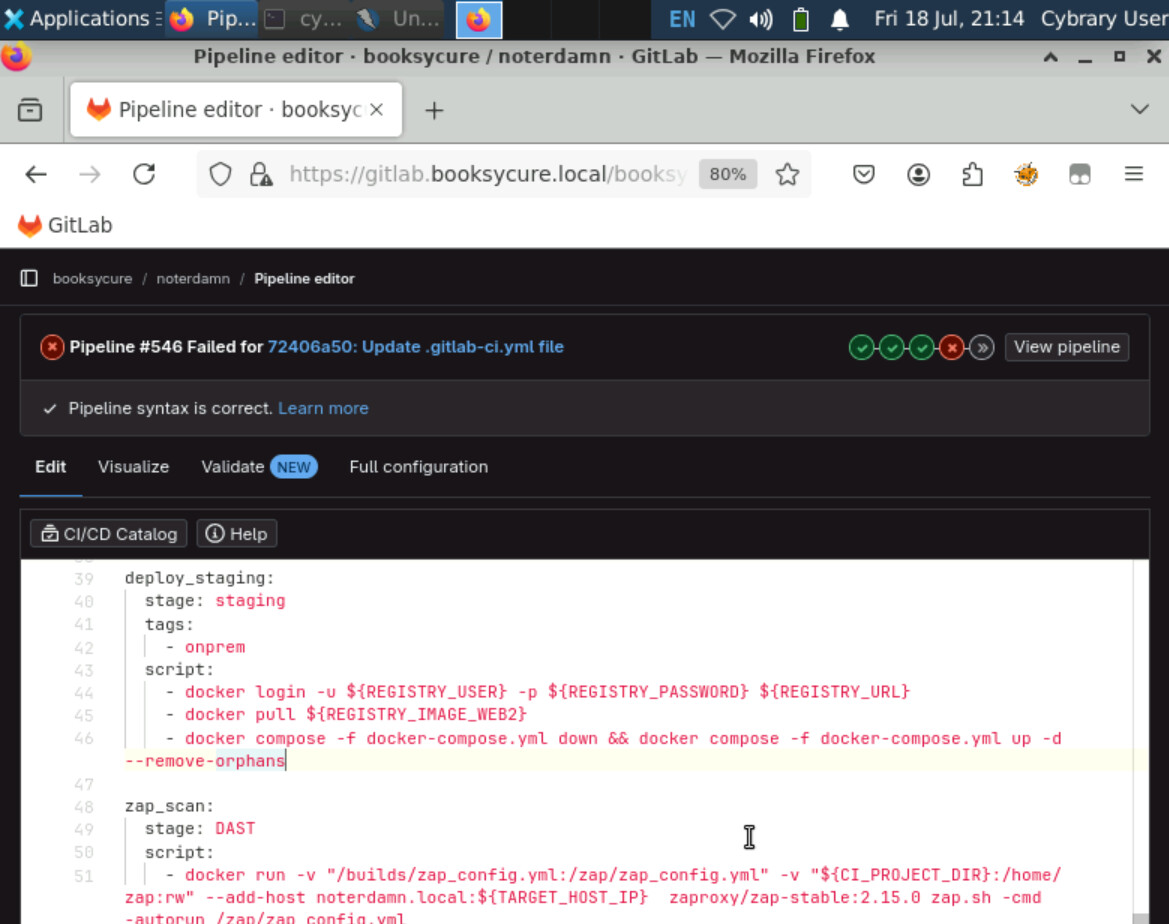
The full file path would be /home/cybrary/zap_scans - but the point is to make sure you’re using the correct file path for where you saved the file in your lab environment.
Finally, I have found the solution to my problem, it was the name of my automation plan, when I saved it naming it zap_config.yml instead of zap-config.yml it worked, it wasn’t the file path as you said, you should change the challenge exercise as the script is harder to change. I don’t understand fully why that changes, but I finally finished.
1 Like