how do i reach out to an instructor
Simply post a screen shot of your command and the output right here 
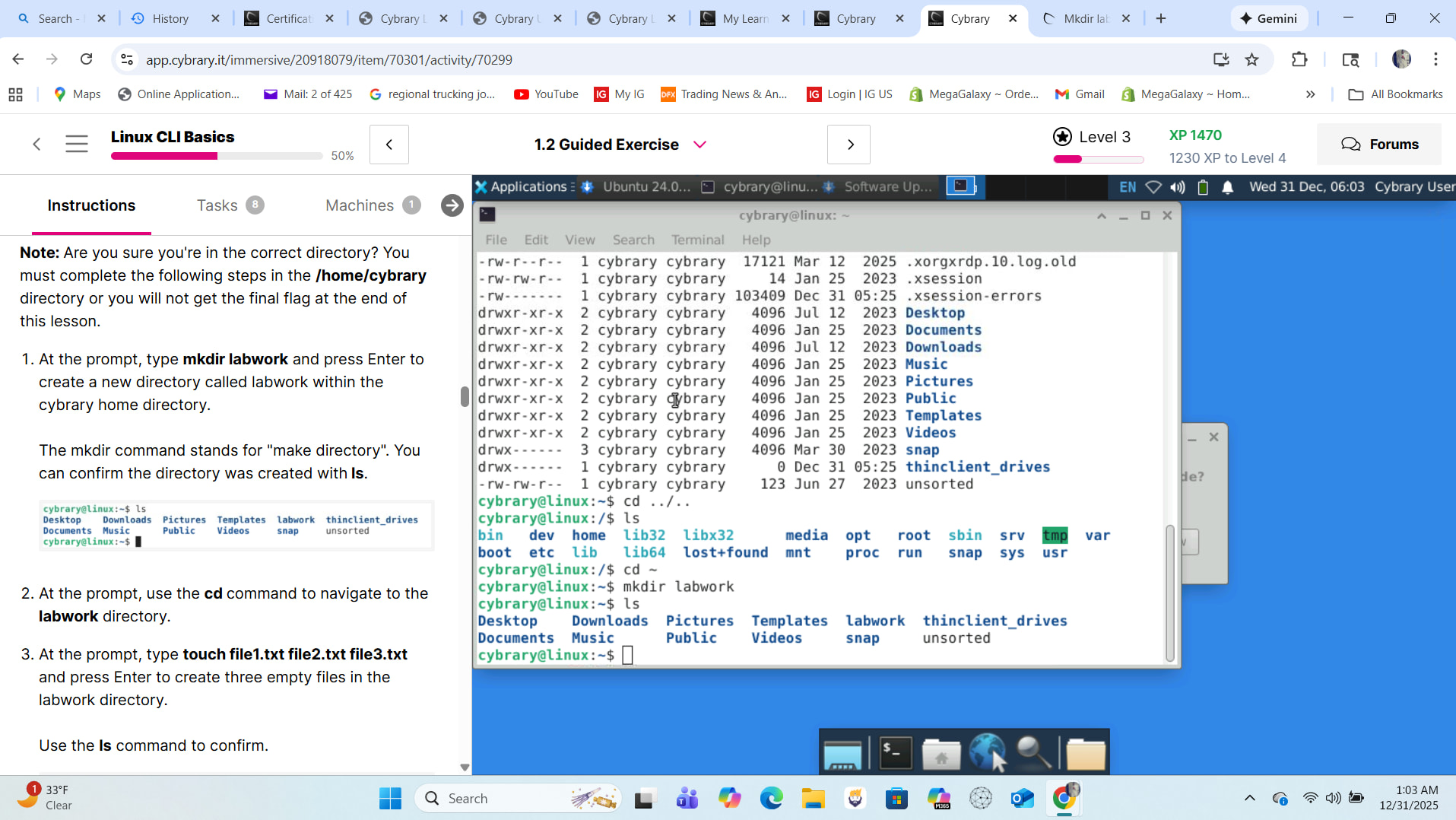
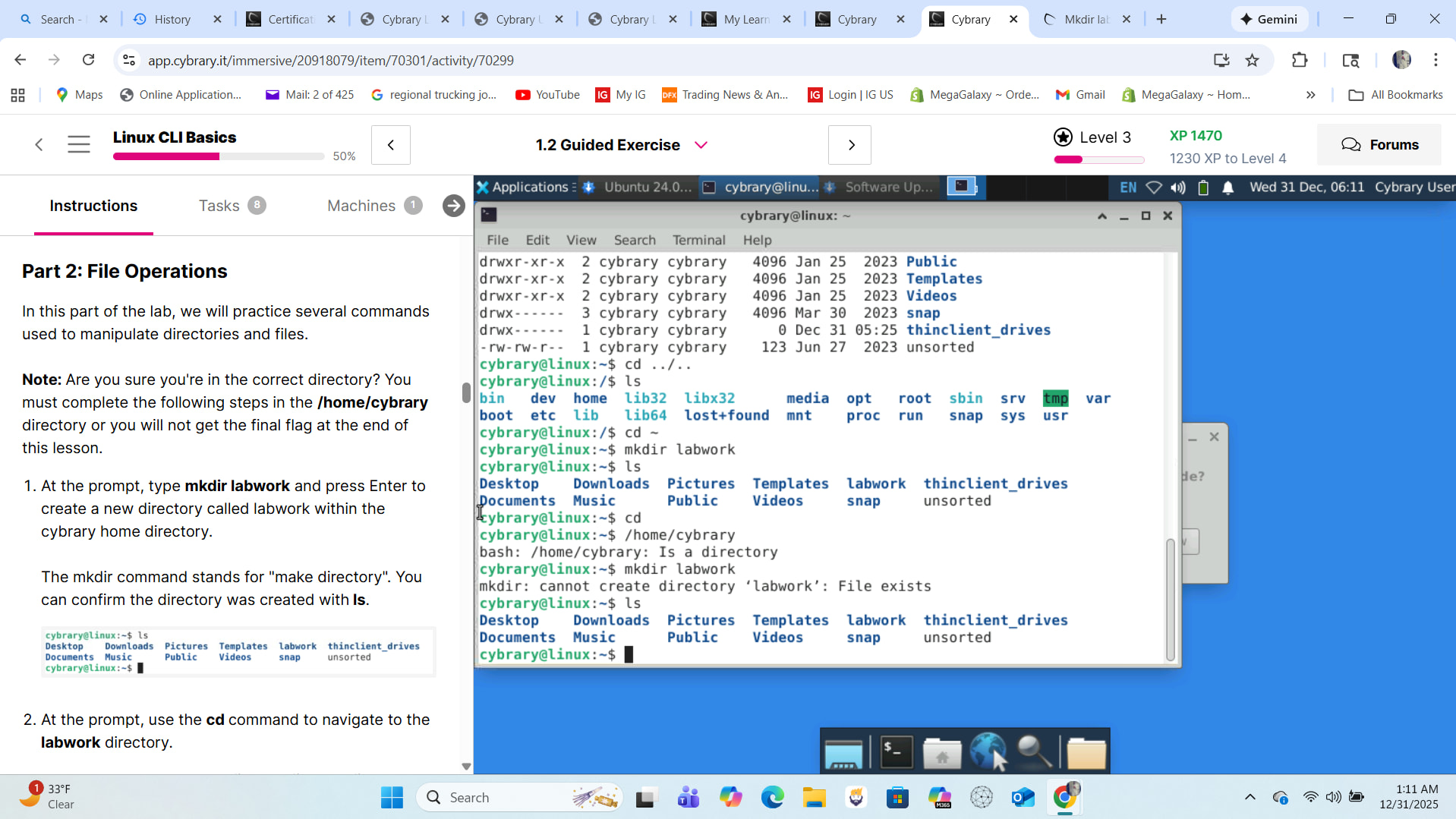
Could you clarify the issue? I see the labwork directory as expected - between the Templates and thinclient_drives directories.


No comments 
wink wink 

when i type the commands that the lab is telling me to type it doesnt look like the example
At some point in the activity you created the folder and later you want to create the folder again (same place, same name: Forbidden):
you can’t do that  <— unless you give it a different name (try it on Windows and you’ll see what I’m talking about).
Review instructions:
see your progress
One thing I notice in your previous screen capture is that there is confusion between two types of instructions…
Literal:
Type xxx yyy zzz and press Enter.
Conceptual:
Use the xxx command to yyy zzz.
For example, earlier in the lab you are told to “type cd ~ and press Enter”. Later you are told to “use the cd command to navigate to the labwork directory”.
Your response to the latter was “cd”. This is not correct. The cd command needs a location to take you to. In this particular case the command would be “cd labwork”.
thank you so much for explaining that
1 Like


If you look to the left of the screen I followed the commands and I’m not sure why my commands aren’t working

how do i fix that….I typed the /home/cybrary and it didnt do anything
Typing /home/cybrary alone won’t do anything. You’ll need to use the “change directory” command you learned earlier in the lab.
@Lanaldo31 why would typing /home/cybrary do anything? Is that a Linux command? When you used the cd command before in the lab you had to tell it where to go. We used some shorthand in the examples (~ .. ../..) but those are places (home, up one directory, up two directories).
/home/cybrary is also a place. You always have to tell cd where to go.
Just typing cd does nothing.
Just typing /home/cybrary does nothing.
Maybe combine the two in some way?