So I have been stuck on this GUIDED EXERCISE for serval days now. Im following the steps 1 by 1 and making sure its all correct. But it seems like the Linux isnt updating the IPs correctly. I have to ask chatgpt to help with by forcefully adding IP addresses to the router. then on step 12 of Configure a New subnet. It askes to config the Linux-2 node with a new IP. When I do that, and try to ping the routers internal IP (10.10.10.1) and Firewall’s LAN IP (192.168.1.1) I keep getting Unreachable network. the next step says “You should find that the Router replies, but the Firewall does not. This does not mean that your ping requests did not reach the firewall - after all, Linux-2 is aware of the Router device as its gateway, and the Router device is aware of the Firewall device as its gateway. Rather, it means that the Firewall does not know where to send its response.” Yeah THIS DOESNT WORK. and is becoming more complex - I could ask chat gpt how to fix the issue but what’s the point as I’m not really learning anything. Please fix this or someone provide some additional info.
Welcome to Forums @ExtendedFalcon3528 
Would it be possible to show screen shoots of the Linux-2 network config, the Router network config, the Firewall static route you added and the new Firewall rule you added.
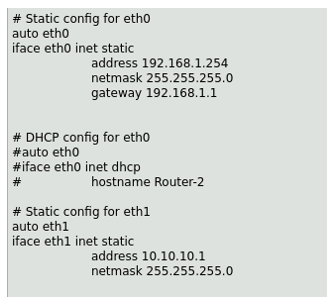
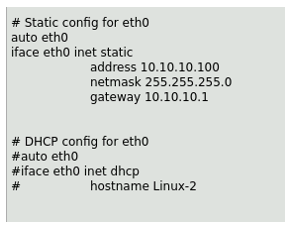
One mistake I do see people make is they forget to remove the comments ( # ) from the device configs. Thus even though they put in the right information the comment makes it invisible to the device.
Another common issue is that while it’s shown clearly in the lab screen caps, we don’t say explicitly to uncomment auto eth0 and auto eth1. If these are left commented out , the interface will not come up on reboot.
Here is my router config:
Linux-2 config:
Firewall changes:
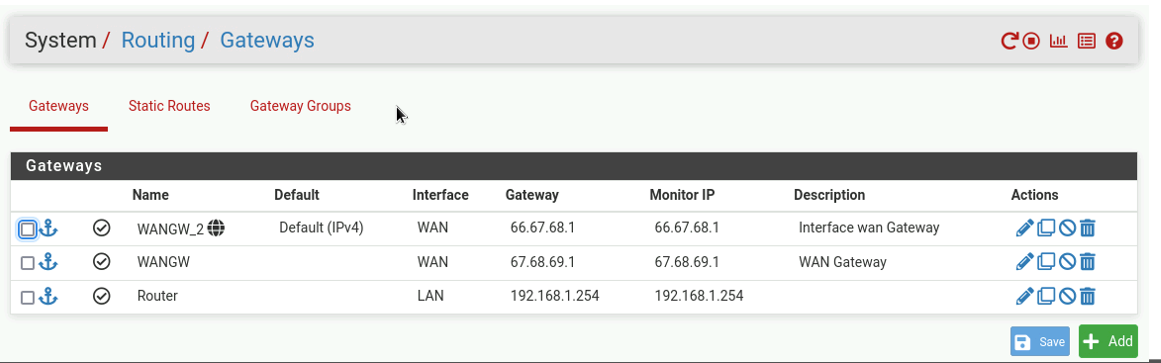
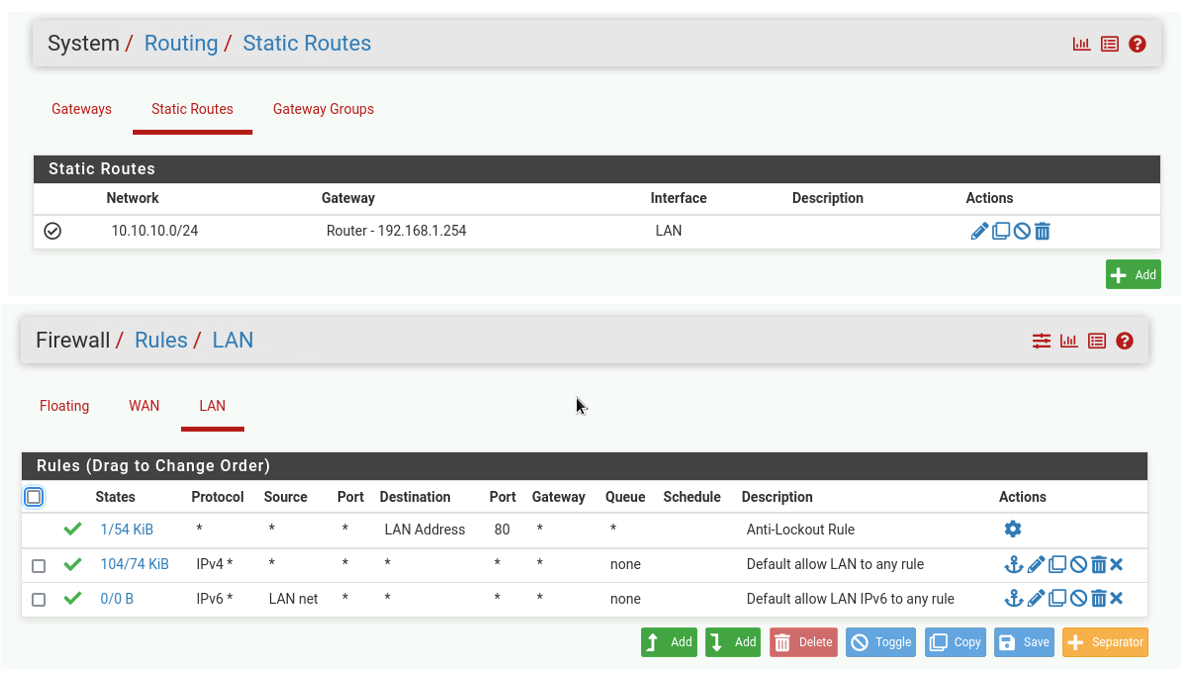
Results:
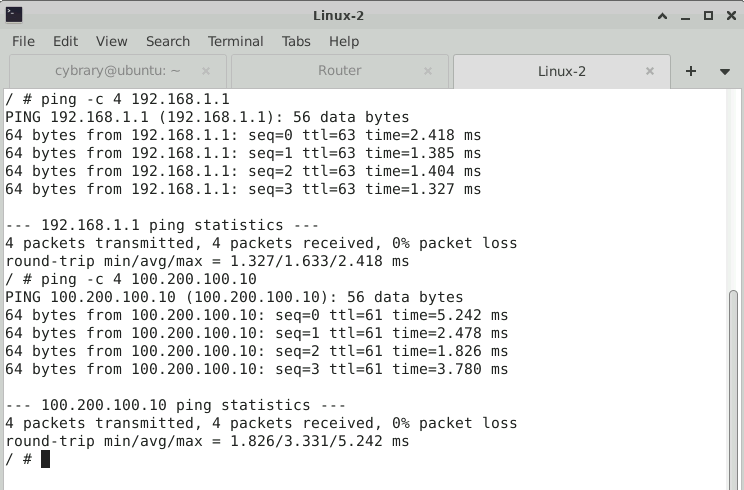
Let me know what tripped you up so I can augment the lab guide to make it a better experience.
Hi Jospeh, thanks for the reply. So i restarted the lab (again) and was going through the steps. everything was going well until Part 4.
Here is the config page. and im pretty sure I have got it all correct.
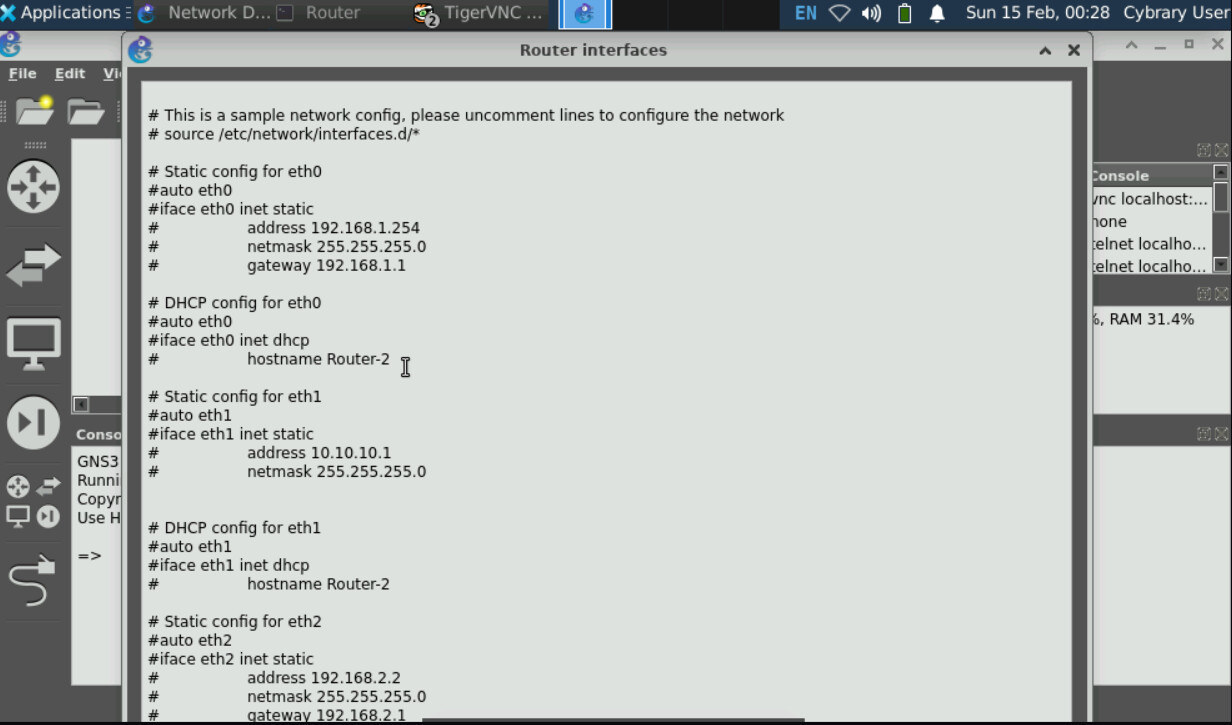
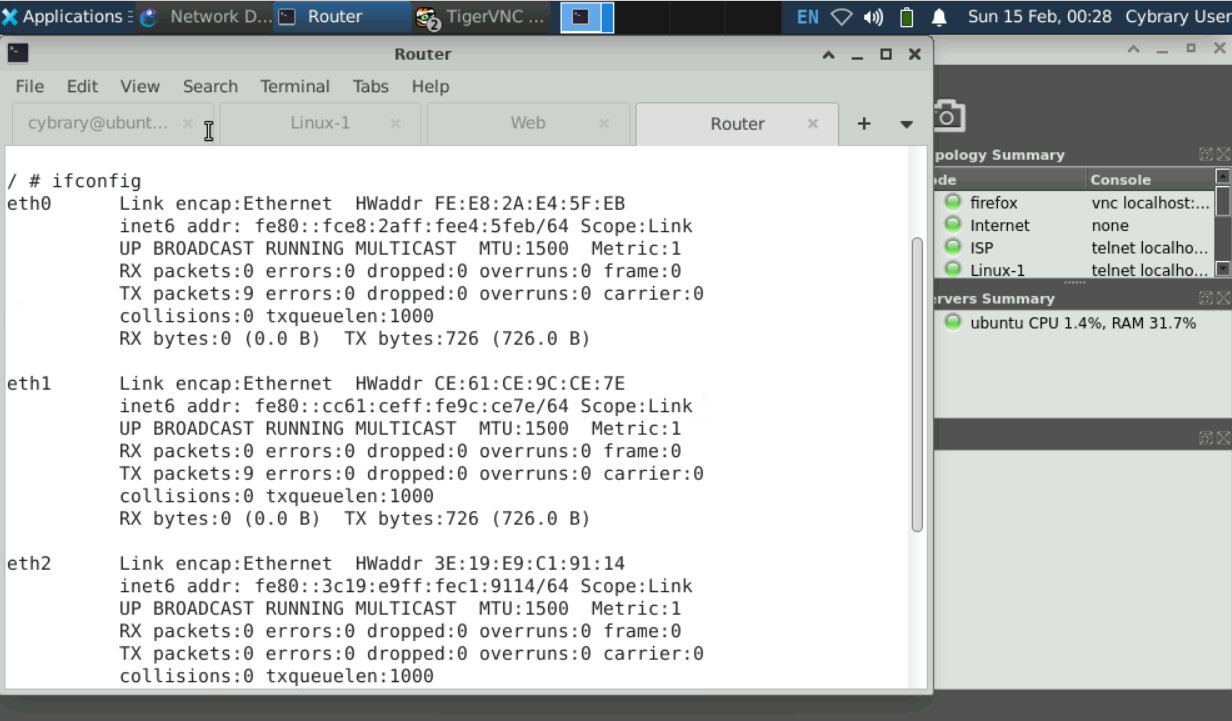
Now right after I go to the console and “ifconfig” to make sure the IPs have been added.
Unfortunately I cant add another screen shot but I only see Ipv6 and not ipv4s like on the examples. im pretty sure that’s where all the issues start.
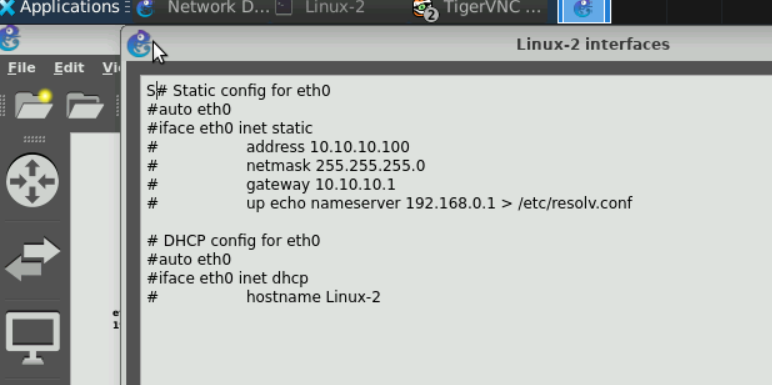
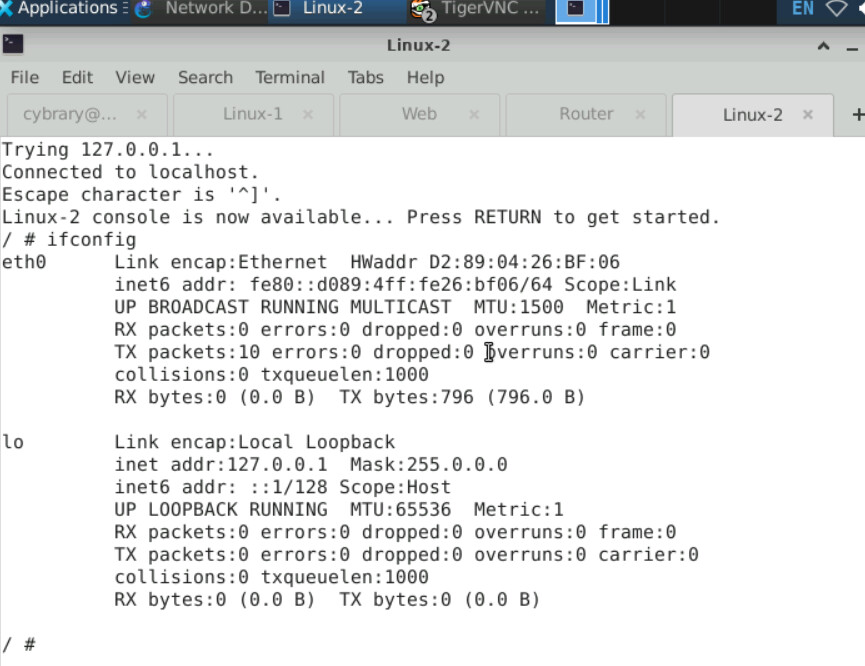

Okay.. so after re-reading your comments. I figured it out. I had to remove the “#” from certain lines. I think it might be a good idea to add that somewhere as an * that this is an important step. I know it shows on the example picture but its easy to miss. Especially for someone that is just getting into network. Just a thought, but thanks for your help.
I appreciate your feedback @ExtendedFalcon3528 !!