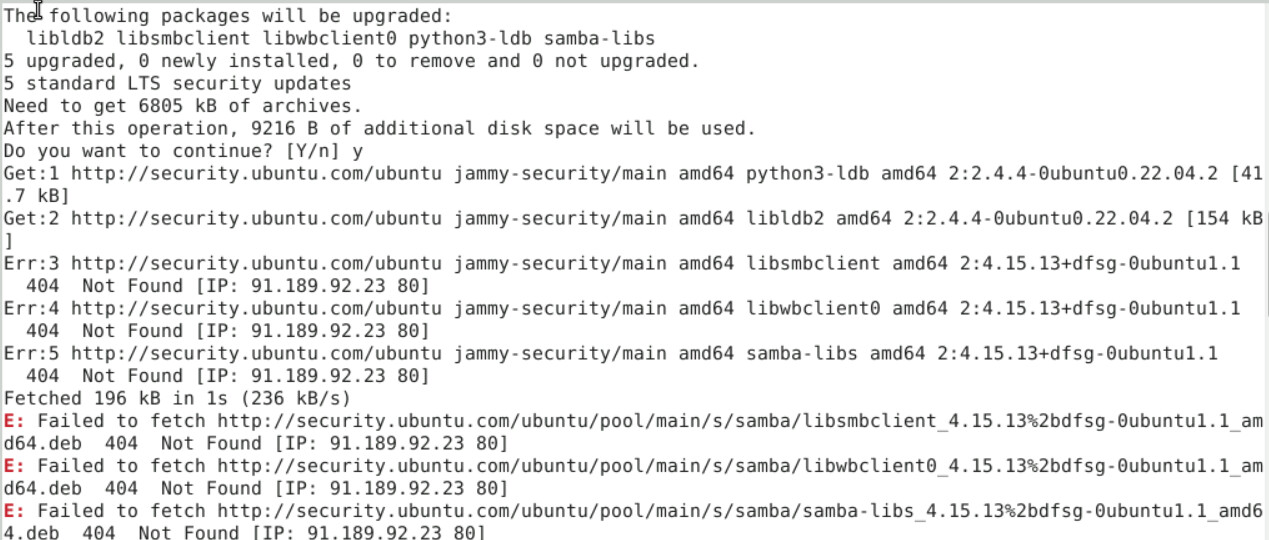
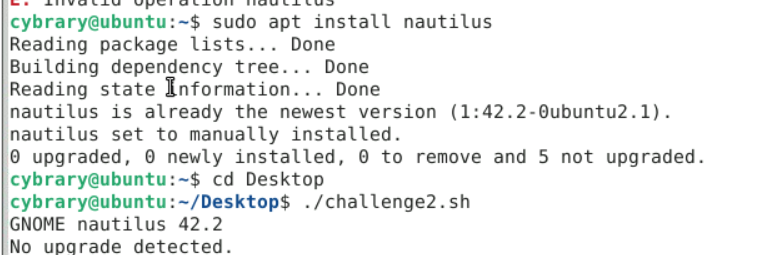
Hello, I’m having trouble trying to update the nautilus app, Every time I think I get it right the flag won’t show. I run sudo apt upgrade nautilus and every time I use Y to confirm the updates I get told I don’t have enough space, I’ve tried a plethora of different ways to update the apt. I read somewhere that you can use “sudo apt install (app name)” to update an app that is already installed. I also keep seeing when running the upgrade command that nautilus is already on the newest version. Ill attach some screen shots. I’ve found the upgrade in the upgrade list when I run sudo apt –upgradable but cant figure out how to isolate that one upgrade
I just checked the challenge lab and it works as expected…
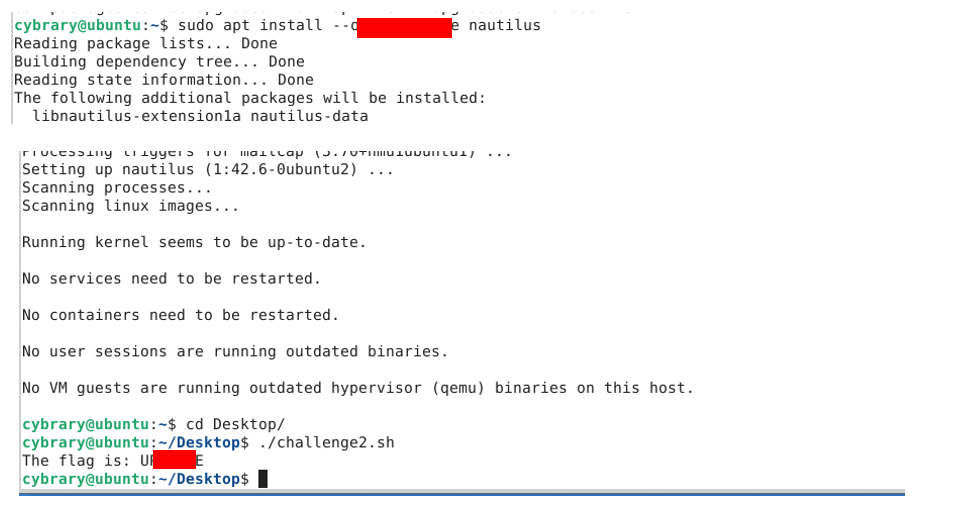
Here are a couple notes:
1.) Be sure you don’t do any actual upgrades in 1.2 Guided Exercises. If you do it will mess things up for the challenge.
2.) Read everything written after Part 2 Step 5. It literally tells you how to do the linux part of the challenge.
I actually found a work around for this one but it involved update and upgrade all and then moving the restart prompt out of the way to run the .sh LOL. Im going back now though because this helps me alot and I think I know the command I need to use now. Thank you joseph I appreciate your help
 This is what I get every time I run the above command you showed. IM not sure why it does this
Be sure to run sudo apt update first.
Thank you sir, That worked and I was able to get the flag without the workaround I used the first time. I appreciate your help!