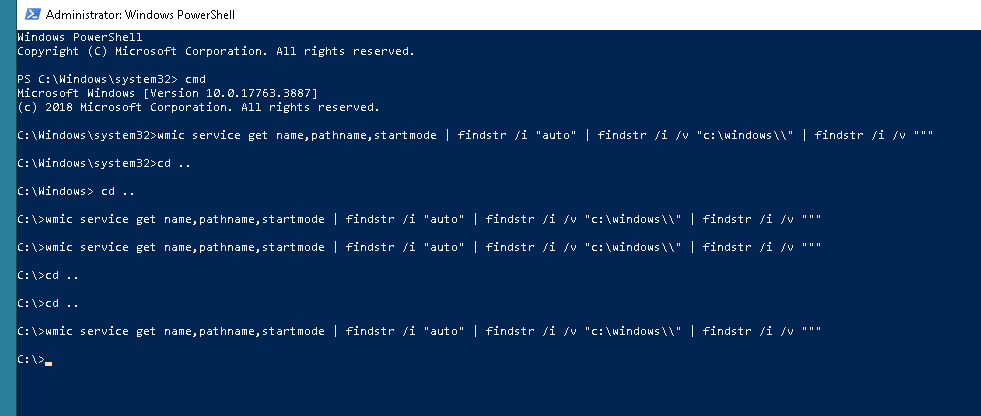
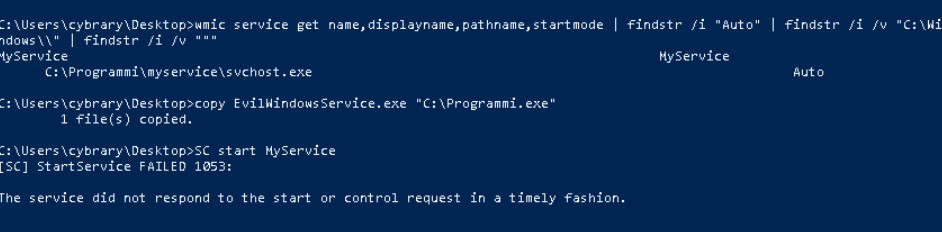
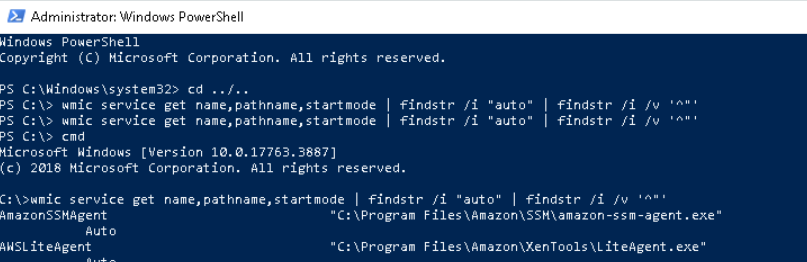
Maybe ChatGPT can explain it better…
From a Windows security perspective, an unquoted service path is a long-standing privilege-escalation risk that arises from how the Windows Service Control Manager (SCM) parses executable paths when starting a service.
When a service is installed, its executable path is stored in the registry (under HKLM\SYSTEM\CurrentControlSet\Services\<ServiceName>\ImagePath). If that path contains spaces and is not wrapped in quotation marks, Windows does not interpret it as a single atomic string. Instead, it attempts to resolve the executable by progressively truncating the path at each space until it finds a matching file.
This behavior is not a bug in the modern sense; it is legacy parsing logic designed for backward compatibility. However, in contemporary environments it creates a clear security risk.
Why unquoted service paths are dangerous
When a service runs under a privileged account (commonly LocalSystem, NetworkService, or a domain service account), Windows may attempt to execute an attacker-controlled binary before the legitimate service executable. If an attacker can write to any directory in the truncated search sequence, they can achieve local privilege escalation.
The critical condition is:
-
The service path contains spaces
-
The path is not quoted
-
The service runs with elevated privileges
-
A low-privileged user can write to at least one directory in the path
If all four are true, exploitation is often trivial.
How Windows resolves an unquoted path
Consider the following unquoted service path:
C:\Apps\Internal Tools\Updater Service\updater.exe
Windows will attempt to start the service by checking executables in this order:
-
C:\Apps\Internal.exe
-
C:\Apps\Internal Tools\Updater.exe
-
C:\Apps\Internal Tools\Updater Service\updater.exe
If an attacker can place a malicious executable at any earlier location in this sequence, Windows will run it as the service account, not as the attacker.
Example 1: Writable parent directory
ImagePath = C:\Services\Backup Agent\backupagent.exe
Resolution order:
-
C:\Services\Backup.exe
-
C:\Services\Backup Agent\backupagent.exe
If standard users have write permissions on C:\Services, an attacker could drop a malicious Backup.exe. When the service starts (or the system reboots), that file executes with the service’s privileges.
Example 2: Deeply nested path with multiple spaces
ImagePath = C:\Vendor Suite\Monitoring Tools\Agent Core\agent.exe
Resolution order:
-
C:\Vendor.exe
-
C:\Vendor Suite\Monitoring.exe
-
C:\Vendor Suite\Monitoring Tools\Agent.exe
-
C:\Vendor Suite\Monitoring Tools\Agent Core\agent.exe
Each space introduces another execution opportunity. Even if only one intermediate directory is writable, that is sufficient for exploitation.
Example 3: Third-party software installed insecurely
ImagePath = C:\Data Sync\Service Engine\syncsvc.exe
Resolution order:
-
C:\Data.exe
-
C:\Data Sync\Service.exe
-
C:\Data Sync\Service Engine\syncsvc.exe
In real environments, directories like C:\Data or C:\Data Sync are sometimes created with overly permissive ACLs to simplify operations. This makes them attractive targets for attackers performing post-exploitation enumeration.
Why this matters in real attacks
Unquoted service paths are a classic local privilege escalation vector frequently used in:
-
Post-exploitation on compromised user accounts
-
Red team operations and penetration tests
-
Commodity malware looking for “low-effort” elevation
-
Automated security tools and attack frameworks
Attackers do not need to exploit memory corruption or bypass modern mitigations. They simply wait for the service to start or trigger a restart.
Proper mitigation
The correct fix is simple and deterministic:
- Always quote service executable paths that contain spaces
For example:
"C:\Services\Backup Agent\backupagent.exe"
Additionally, defensive hygiene matters:
-
Ensure non-administrative users cannot write to service directories
-
Audit third-party software installations
-
Regularly enumerate services for unquoted paths
Summary
An unquoted service path is dangerous because Windows may execute the wrong binary with elevated privileges due to legacy path parsing. When combined with weak directory permissions, it becomes a reliable and stealthy privilege-escalation technique. Although the vulnerability is easy to fix, it persists widely in real-world Windows environments, making it a staple finding in security assessments and a favorite target for attackers.