Hi, in the Assessment Log Analysis, the question number 3 the answer seems to be [redacted], but I went over the SIEM Detection and Alerting and I don’t see anything about [redacted], it only mentions that local_rules.xml are in xml, but I’m asking if I’m missing something. Also wanted to ask in that same course of SIEM Detection and Alerting I have 100% completion, but I don’t have all the XP to have 100% on the Career Path. I ask also to see if I missed something.

Completed course
Hey there - this question appears in the Assessment for Host-Based Detection, not Log Analysis, which means the source material for this question is a course/lab from the Host-Based Detection topic.
You can complete all requirements for a Career Path without earning all of the available XP.
Each lab, for example, includes an optional challenge exercise - meaning you get complete the lab (ie 100% progress) without completing the challenge exercise and earning the corresponding XP.
Similarly, you only need to complete 5 of the available challenges in the Practice section to complete the requirement, but you will get more XP if you complete them all.
And for the assessments, you only need to get an 85% to pass the assessment, which will get you 85% of the possible XP for that assessment, but if you re-try and get a 100%, you will earn the additional 15% of the possible XP.
Getting all possible XP within the career path is optional - similar to collecting 100% of all artifacts in a video game.
If you’re unsure where you’re missing XP, you can review the Outline tab on the Career Path page and look at the XP column.
If you did complete the optional challenge in SIEM Detection and Alerting, but you’re only showing 500/600 XP, that may be because we increased the total XP for that lab a few months ago. Could you confirm when you completed that lab?
Hi, thank you for your support, as for the xp for the course, yes i have done everything including the challenge, and still the same, I was just asking, I was only trying to get 100%, but I still got the certificate. I will attach the proof of the completed challenge.
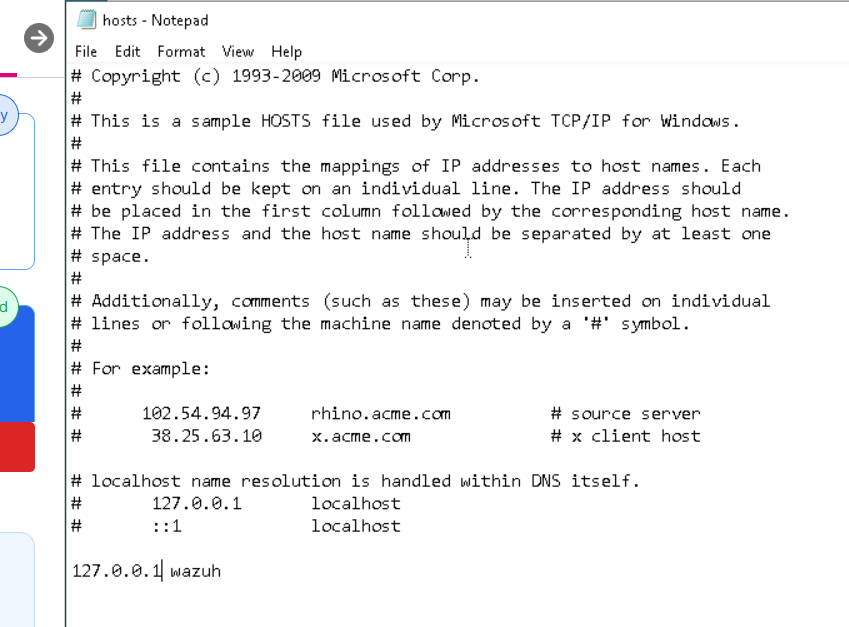
For some reasons the agent doesnt seem to be active on my wazuh server, thereby making it difficult for me to achieve this task. After repeatedly changing the IP in the notepad and doing everything necessary the agent still appears disconnected. I need some guidance please.
To confirm, you’re referring to the SIEM Detection and Alerting Virtual Lab?
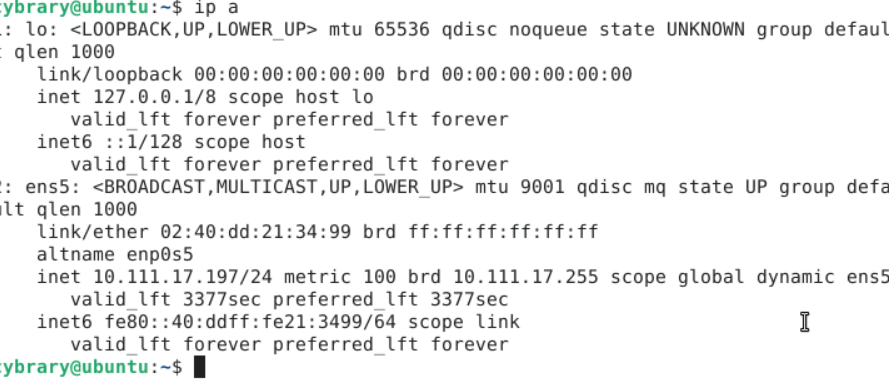
If so, could you please share a screenshot showing the output of the ip a command in the Terminal, as well as your edited etc/hosts file?
Please be sure you’re using the correct IP address from the ip a output, rather than (for example) the broadcast address.
Okay, that’s the IP address for your loopback interface. You’ll want 10.111.17.197 on the ens5 interface, which is your primary network interface.
If you’re unfamiliar with reading the output of the ip a command on Linux, I would recommend reviewing the IP Addressing Basics lab in the Foundations career path (Cybrary). Unless you have equivalent work experience, we generally recommend completing the Foundations career path in full before beginning the SOC Analyst career path.
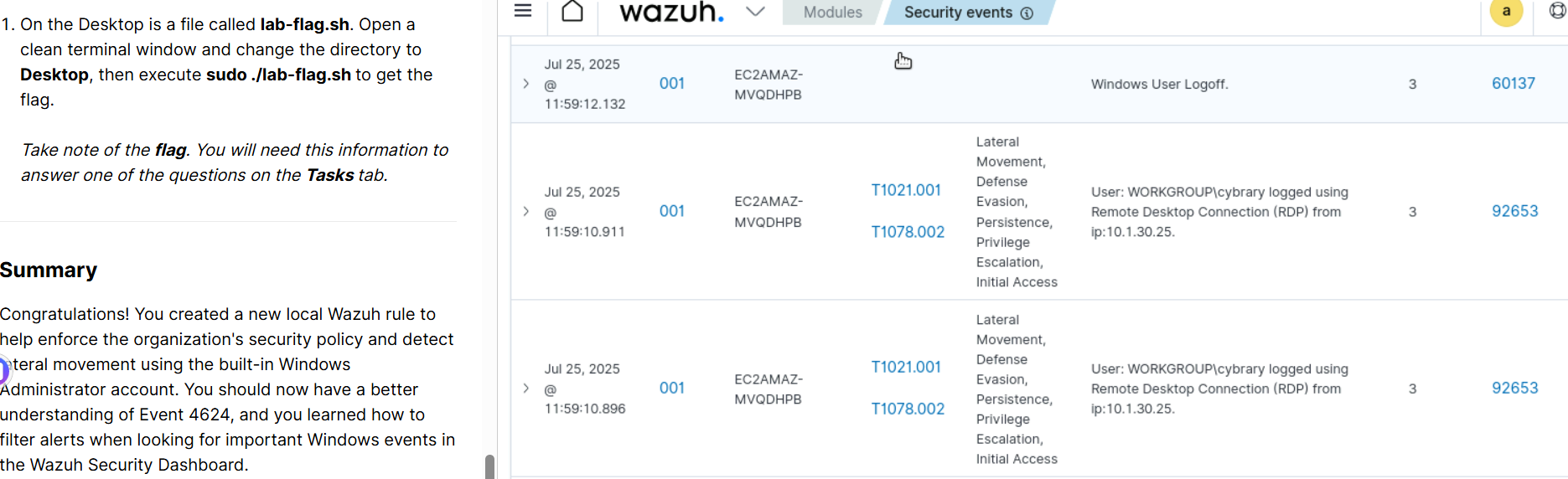
i am struggling with the third task regarding the flag for the exercise. i am literarily stuck. especially where it says change the directory to desktop, then execute sudo ./lab-flag.sh
If you’re unfamiliar with navigating directories in Linux, I would recommend hitting pause on SOC Analyst for the time being and completing the IT & Cybersecurity Foundations career path instead.
Specifically, you’ll want to review the Linux CLI Basics lab (Cybrary) and maybe the Linux File System lab (Cybrary).