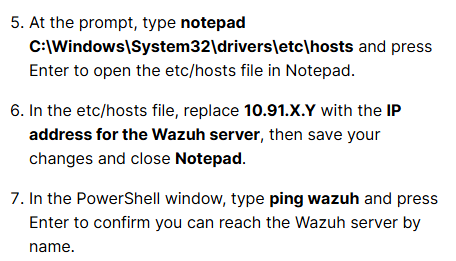
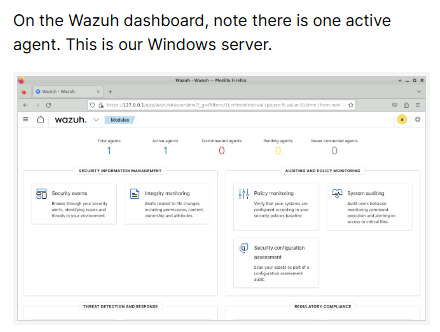
I am working on the SIEM Detection and Alerting guided exercise and have completed the steps to create the custom Wazuh rule.
My configuration is:
<rule id="100002" level="12">
  <if_sid>92653</if_sid>
  <field name="win.eventdata.targetUserName">Administrator</field>
  <description>Administrator RDP Login</description>
</rule>
I restarted the Wazuh manager after saving the rule.
The problem is that the Windows Wazuh agent never connects to the manager.
Troubleshooting completed:
-
Wazuh manager service is active and running.
-
Windows Wazuh Agent service is running.
-
agent_control -lalways shows the Windows agent as Disconnected. -
Windows agent log shows:
-
I restarted both the Wazuh manager and the Windows agent.
-
I restarted the Windows VM.
-
I restarted the entire lab.
-
I recreated the custom rule multiple times.
-
Windows Event Viewer generates Event ID 4624 (Logon Type 10), but Wazuh never receives the event, so Rule 92653 and Rule 100002 never trigger.
-
Running
sudo ./lab-flag.shnever returns the flag because it reports the field name/username check is failing.