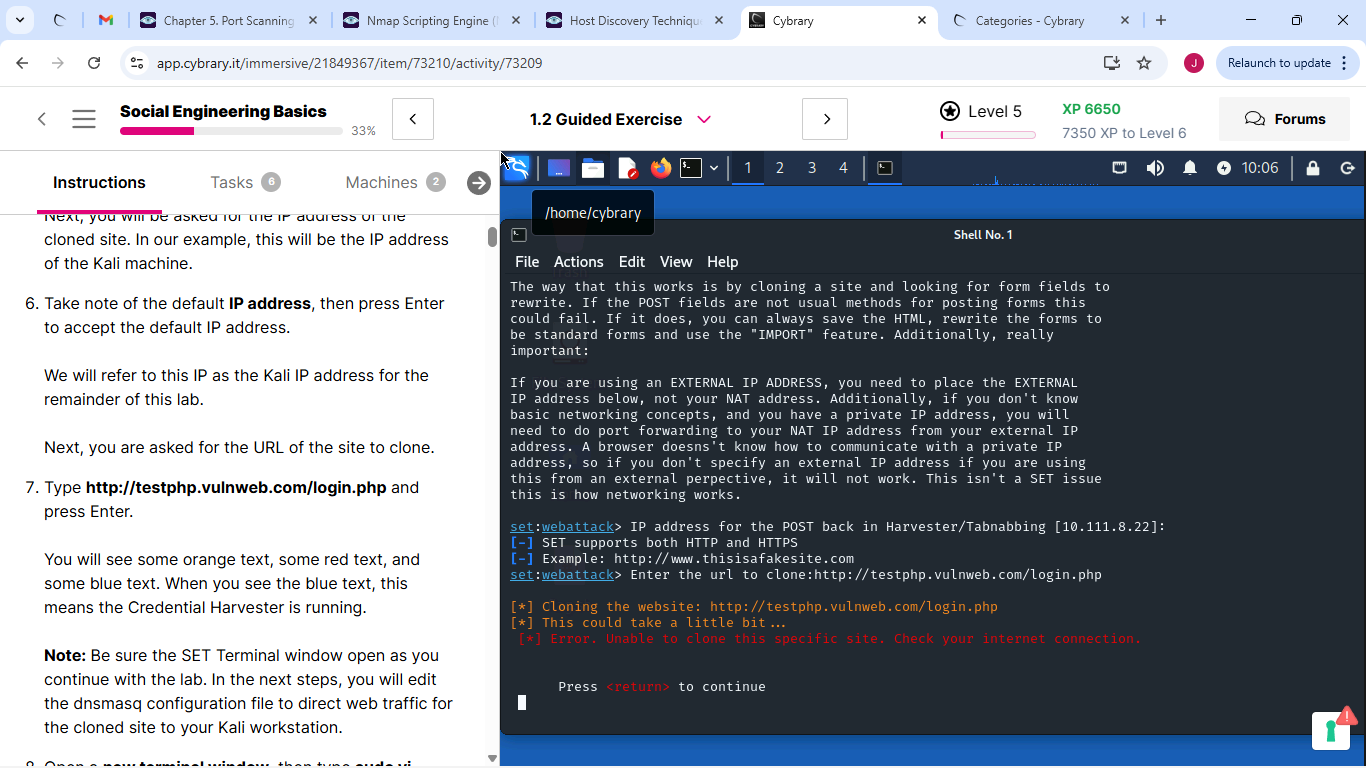
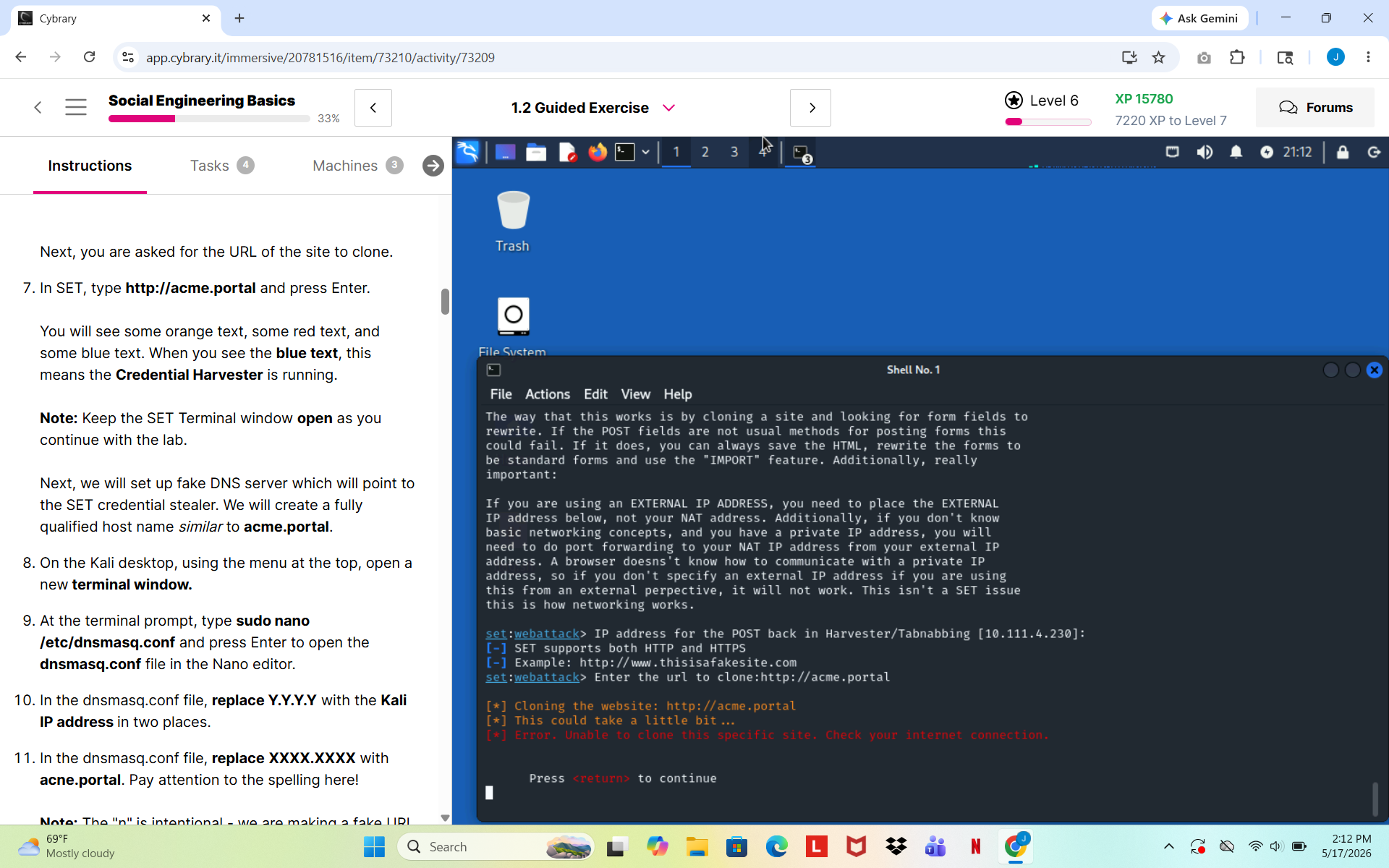
I’m having a repeated technical issue with the first part of this lab. in SET when I input the domain I want to clone orange text appears saying it’s cloning the site but then it doesn’t progress for 30 mins to an hour and concludes with red text saying it is unable to clone the site because there’s no connection
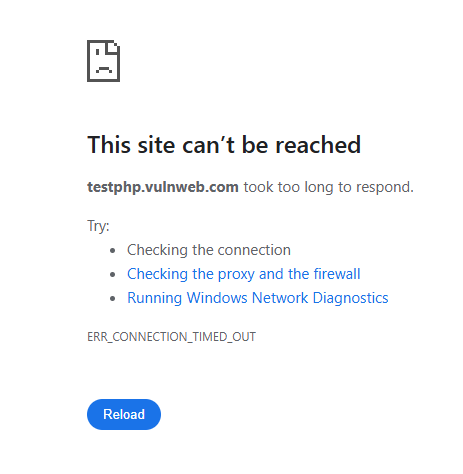
I’ve double checked to make sure I’ve taken the correct steps up until this point (not too many steps really this is the beginning of the lab) and I’ve restarted and re attempted the lab several times but no luck, I tried connecting the site in the firefox browser in both the kali and windows VMs but the connection times out so maybe its a problem there? I hope there’s a solution anyway I hope to hear from someone who’s had this issue and knows how to fix it, thank you.
It looks like the site used (http://testphp.vulnweb.com/login.php) is dead.
The lab will be updated to use another site.
1 Like
@TailofTheTroika the Social Engineering Basics lab has been updated to use an internal resource for Part 1.
Let me know if you run into any problems.
im having the same issue but within the first step of the Phishing. can anyone help or let me know what im doing wrong ??
Be sure you follow all that steps in the Before you begin section and be sure you can ping http://acme.portal from both Windows and Kali before starting Part 1.
1 Like
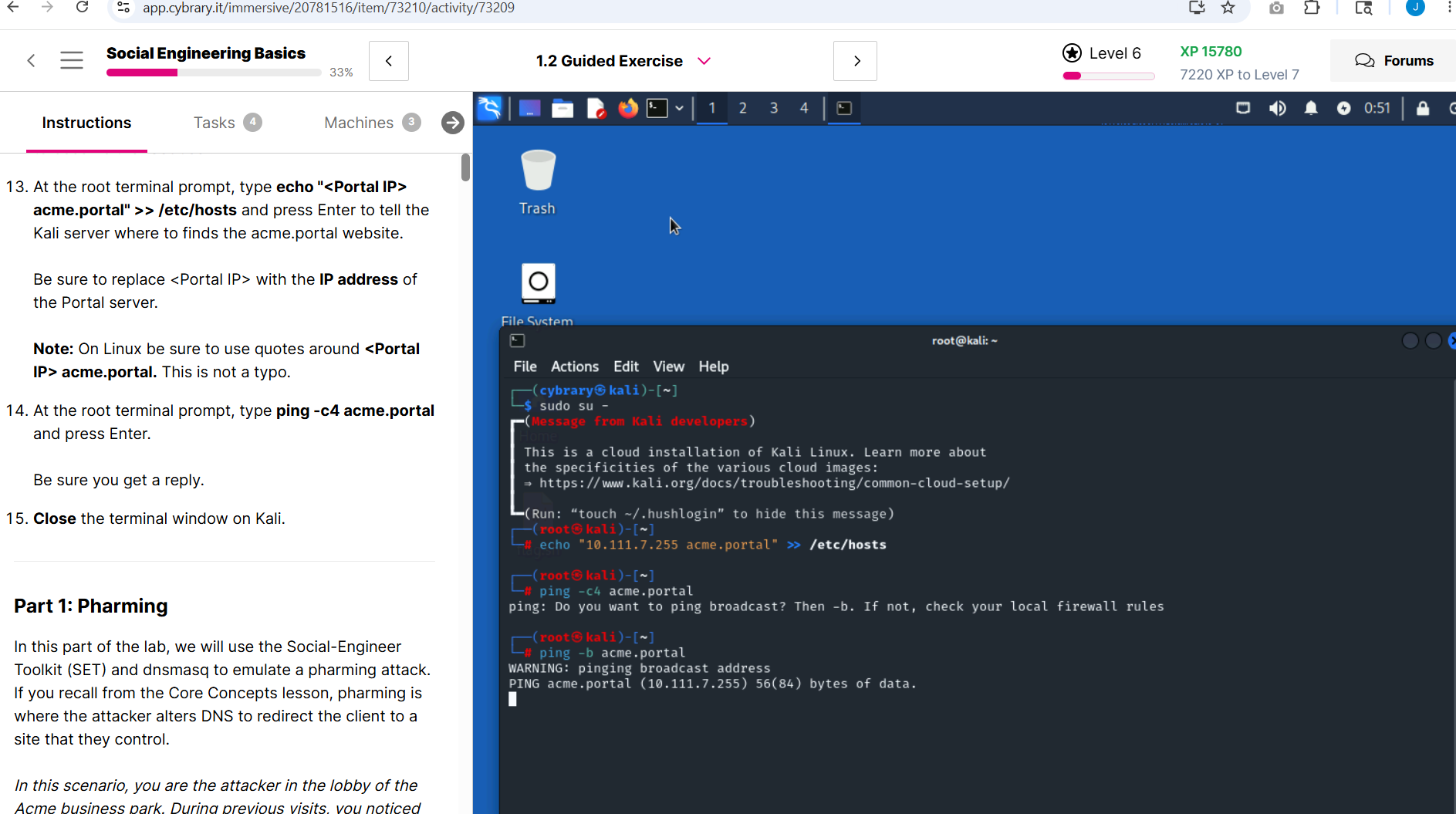
when i ping through Kali, I get this
That looks like a bit of bad luck. Amazon is fine using “.255” as an IP address, but Kali seems not to like it. Normally a “.255” address is reserved as the “broadcast” address. Amazon does supernetting which glues many smaller IP ranges into a large one. Thus for Amazon an address ending in .255 is not necessarily the broadcast address.
Please try again, and most likely you will gat an IP Kali is not upset with.
The bottom line, both Windows and Kali have to be able to ping acme.portal for the lab to work.
so ive tried again and again, inputting the portal IP, doing everything step by step and its like im not getting any type of progress
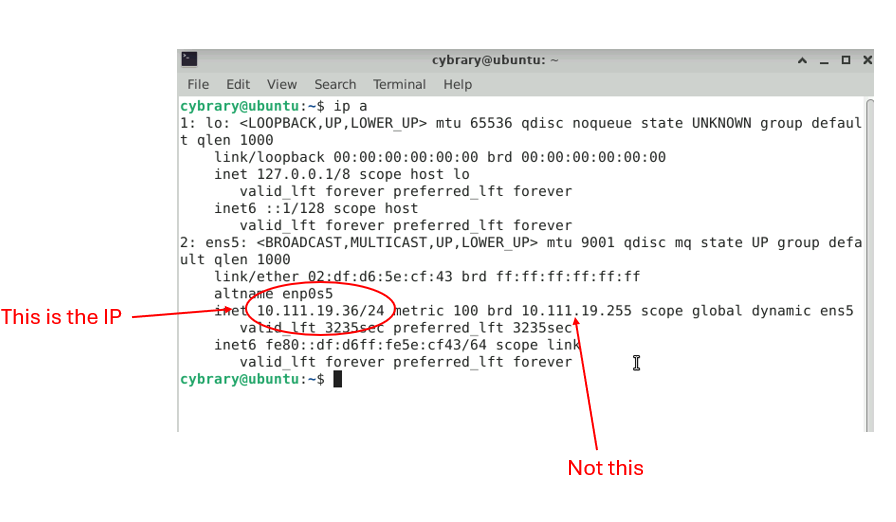
I think I may see your issue…
So in this example 10.111.19.36 is the portal IP (don’t add the /24)
1 Like