I’m keeping this post even though I solved the problem.
It appears the “save model” from Threat Dragon → File → Save model is saving the default model includes the Microservices process. When I save using the “Save” button in the quick menu in the top right of Threat Dragon, it actually saves what I have in my model. I confirmed this by saving via the File menu, running grade-guided, and it gave me the list of ALL the model errors. Then I clicked save from the quick menu in the top right (save which is right next tot he close button), ran grade-guided again, and it passed.
Original post below
I’m not able to pass the grade-guided.
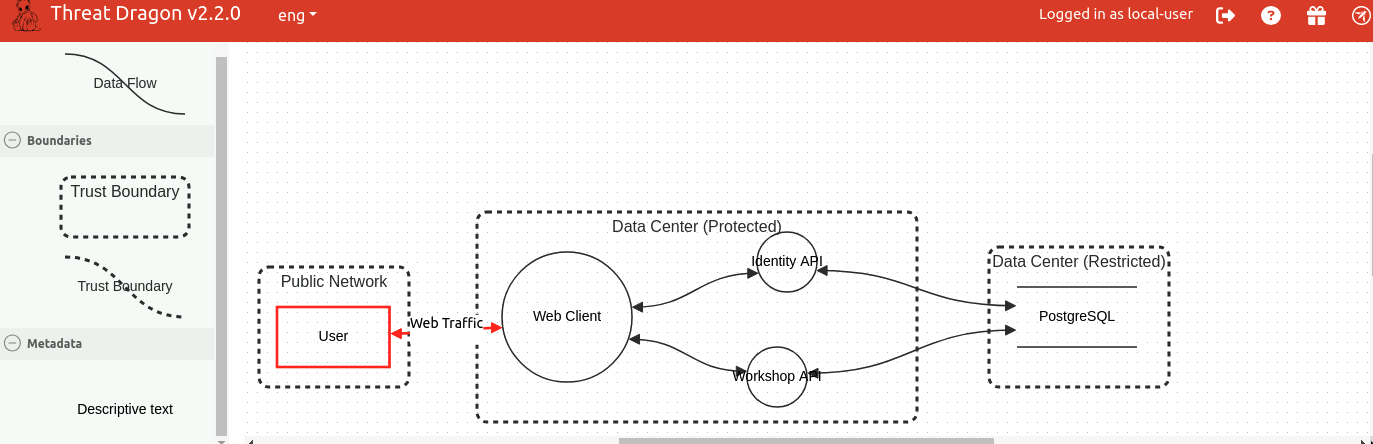
After going back and forth with the saving and resaving, here are the steps I followed and what I’ve found.
(tl;dr, Threat Dragon isn’t saving the model on my screen but the default model that is originally opened in the lab. I’ve tried to save model, save model as, overwrite, delete and save, delete and save as)
- Save the model
- Run grade-guided
- receive model failures
- Delete json file
- Run grade-guided
- receive error that it can’t process the file. At least I’ve confirmed that it’s looking at the file I’m looking at.
- Resave the file from Threat Model
- Run grade-guided
- receive model failures again
- Run gedit on the json
- Find that Microservices, the original process that we were supposed to replace is present and the two processes I added were missing.