Hello,
I am doing the Troubleshooting in paradise challenge in the foundations of cybersecurity course and for some reason both linux-A and-B can’t connect to the internet as ping -c 4 8.8.8.8 which connect to google’s DNS servers doesn’t work is there a way to connect them through Pfsense or is this a technical issue?
So the point of the lab is to fix issues on Linux-A, Linux-B and Browser-B as they have intentionally broken netowork configurations. There is also a DNS issue on the DNS server to fix (an A record is missing).
Once you have the IP, Mask, and Gateway all correct you can ping 8.8.8.8 from any of the systems.
So I need to find IP, Mask, and Gateway and enter them in pfSense?
It’s best to go through the course related to this challenge first: Cybrary
As to this challenge, the instructions tell you “there are issues with Linux-A, Linux-B, and Browser-B. Your job is to diagnose and resolve these issues.” It then mentions that you should be able to ping Linux-B and Browser-B by name from Linux-A. This is a clue there there is a name resolution (DNS) issue as well. There are no firewall related issues in this challenge.
1 Like
Update:
I manged to fix linux-A and linux-B so they can both ping to 8.8.8.8 linux-A can ping to Linux-B with 0% packet loss and Browser-B with 100% packet loss. I am trying to set up and smb server called FILESERVER to troubleshoot smb share connectivity using dns however linux-A still doesn’t recognize the server… I appreciate the help.
Knowing there are no firewall related issues helped IMMENSELY.
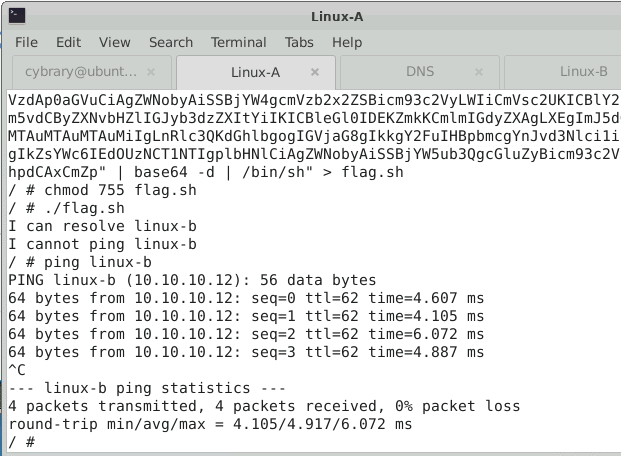
However, when claiming the flag I ran into a bit of a mishap with whether or not Linux-A can ping Linux-B
I originally added a record to the DNS for linux-b @ 10.10.10.10, but through some restarts DHCP said “nuh uh, you get 10.10.10.12 now” so I updated the record to 10.10.10.12. If I ping Linux-B from Linux-A by name it resolves to 10.10.10.12 and can get a response, but the flag says I can’t ping. Is the flag fixed at trying 10.10.10.10? Should Linux-B be static?
Edit: I made Linux-B static @ 10.10.10.10 + updated the DNS and it worked. Didn’t realize that was a hardcoded thing.
1 Like