I set the configurations in the oxxxxx.xxxxxg (admin redacted) as required and ran then opened a PowerShell window with Admin privileges. Changed the directory to C:/Users/cybrary/Desktop and ran ./Challenge.bat.
It ran successfully but there are some issues here.
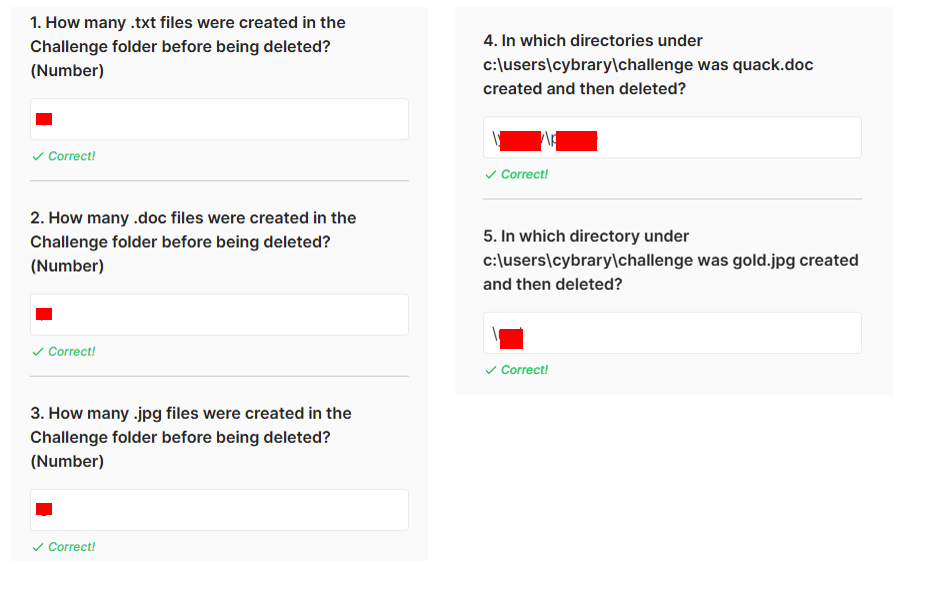
- The number of files created and then deleted is not consist with what is expected in the Task Question responses.
- For example, there were no doc files created or deleted but 0 is not a correct answer.
- For the numbers of .jpg and .txt files created and deleted. the answers expected are not consistent with the information in the security events showing in Wazuh.
- The files quack.doc and gold.jpg are not files that were created and/or deleted but I see green, yellow etc.
I think the answers expected int the task responses are not the Challenge.bat file generates to match.
Please advise.
I just ran though and all answers expected are correct and can be derived from Wazuh when windows is configured correctly.
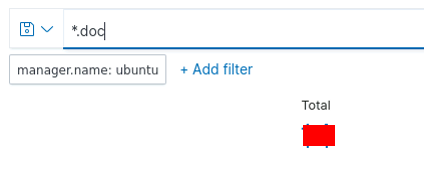
There were in fact .doc files created and deleted:
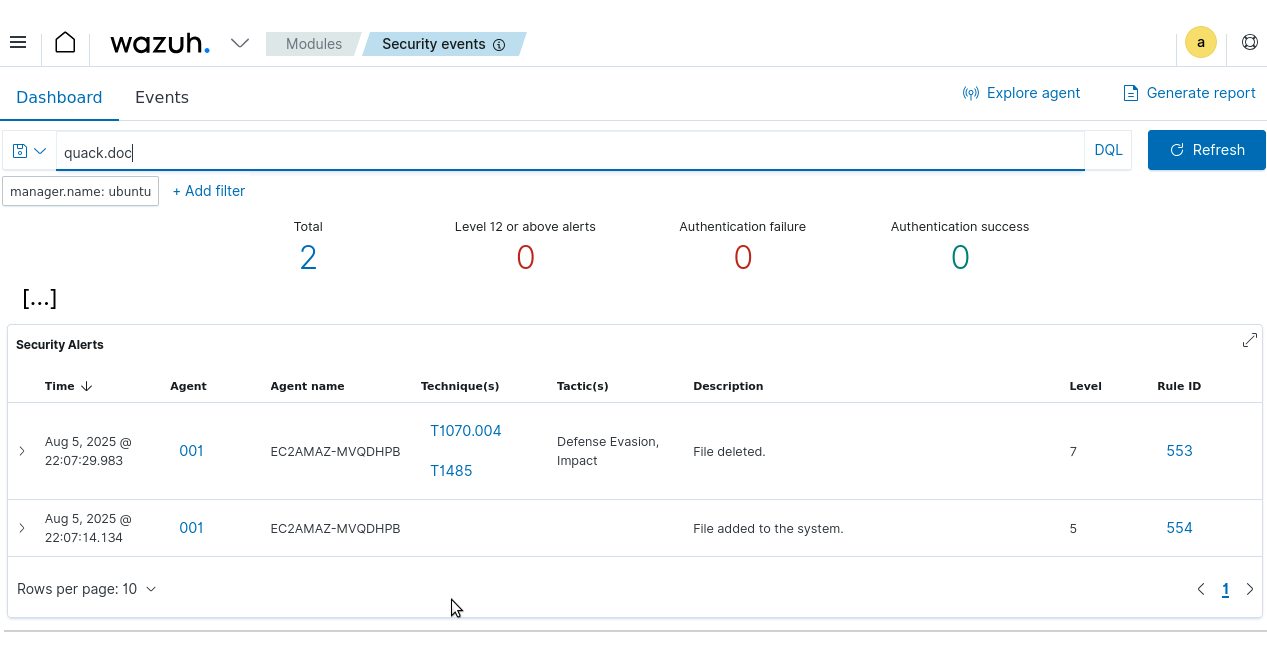
I find quack.doc where the answer key expects it:
Same for gold.jpg.
One thing you did not mention was restarting the wazuh service after making changes to the Wazuh agent config.
1 Like
I did..but I will try it again tonight. Thanks a lot. I will let you know.
Maybe I had input from the original setup?
I did it over again and stopped and restarted the server also. dont see any gold.jpg only red, yellow, green etc. then a ccc.txt and a aaa.txt file no doc files or folder with quack.doc etc
I dont know what s going on here. I followed the directions.
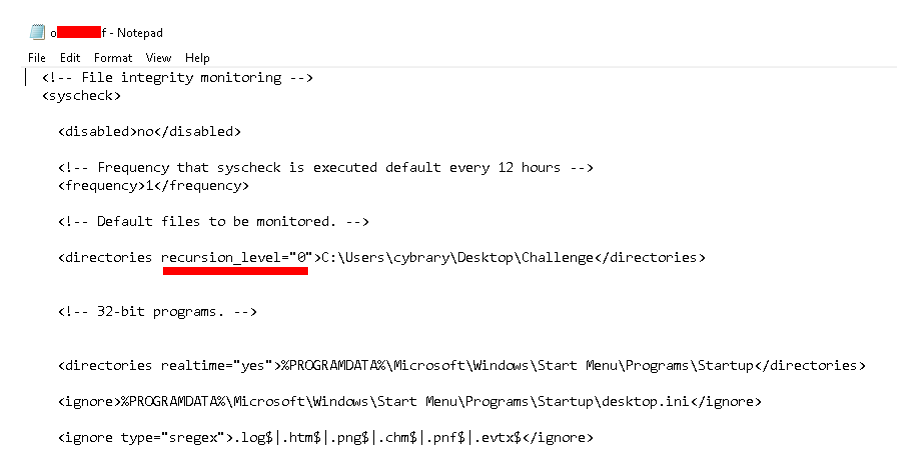
Can you message me a screen shot of the Wazuh agent config file showing the changes you made? That’s really the heart of the challenge and if you are getting that right I don’t want to penalize you for some intermittent lab quirk.
Also include the search terms you are using in Wazuh for each question.
Thanks for your patience !!!
I was looking at each log record I could not figure out how to do a search for deletions and additions. I will send in the morning. I just killed it.  Thanks
So the change I would make is replace recursion_level=“0” with realtime=“yes”
1 Like
ok…let me try. I will let you know how it goes
Ok. It worked. My only question here is what is the difference in the setting for “Frequency” which was set at 43200 and I changed it to 1 thinking it would go from checking every 12 hours to every second - and the realtime setting which you suggested that worked?
I think that was the source of my confusion there.
Thanks so much for your support!
1 Like